Turn bookings and saved places into a trip.
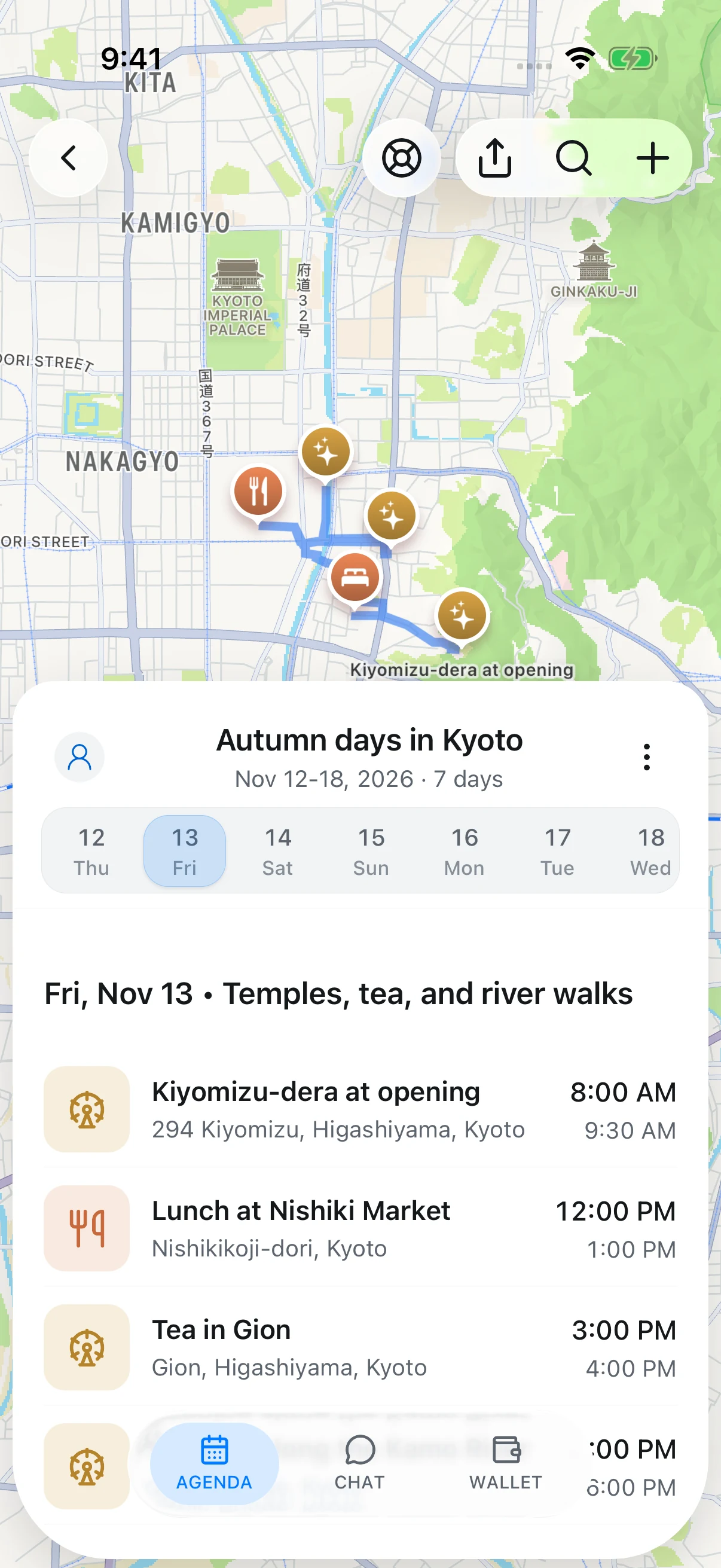
TripNoted is your trip planner. Turn the places you save and the things you book into days you can look forward to.
That video you saved?
Go there.
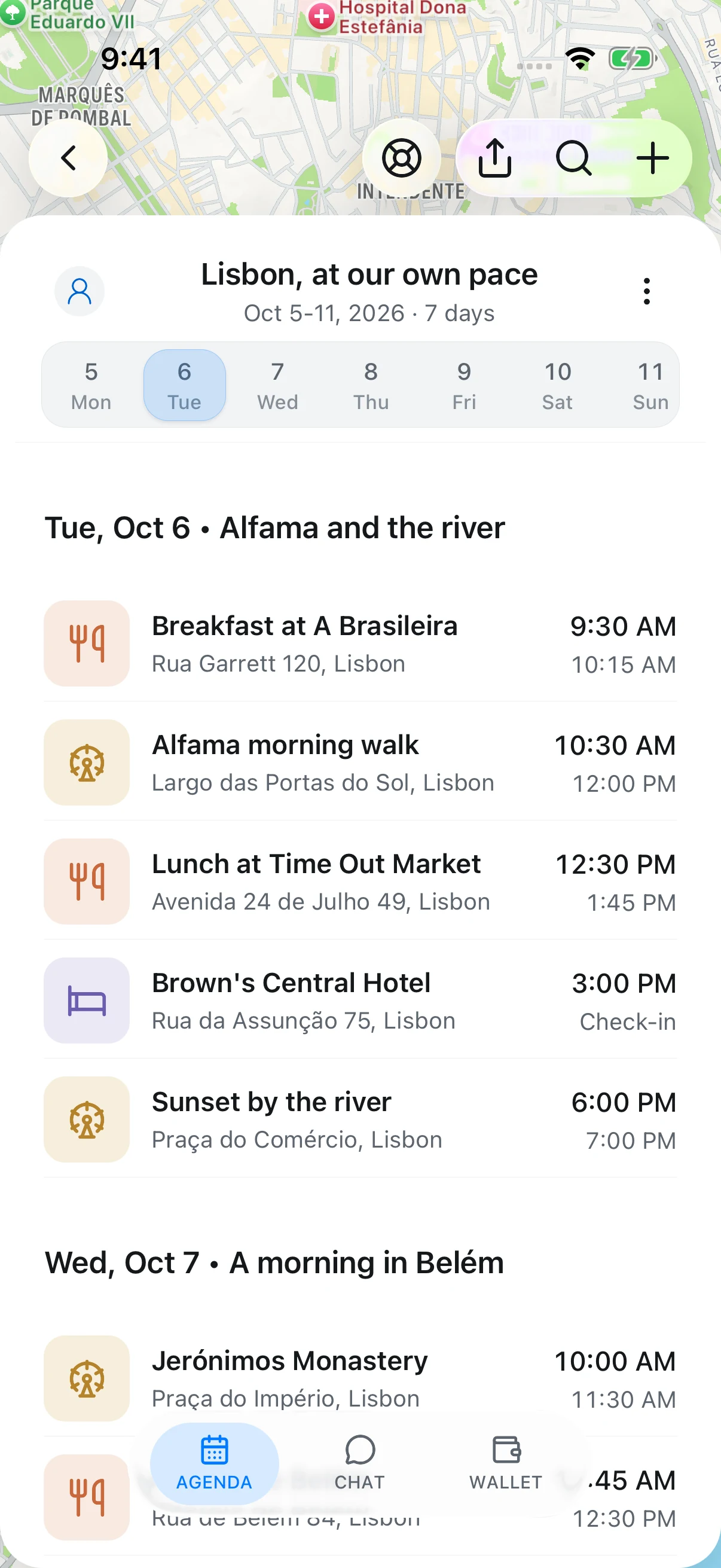
Share a video or link. TripNoted finds the places, puts them on your map, and keeps them ready for your next trip.
- Share a link
- Get the places
- Add to a trip
Book it. We’ll keep
the details together.
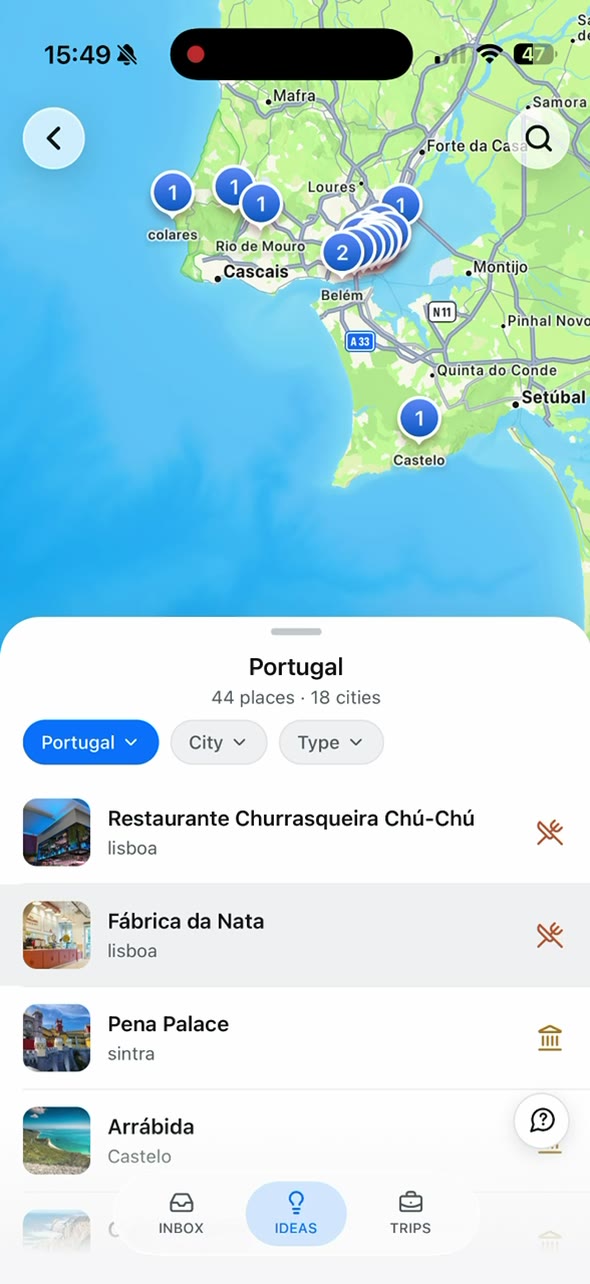
Flights, stays, and reservations fall into place from your Gmail confirmations. Open your trip and know what’s next, without searching your inbox.
Know when your flight is delayed.
Get free alerts if your flight is delayed or its departure time changes.
See how Flight Alerts work ↗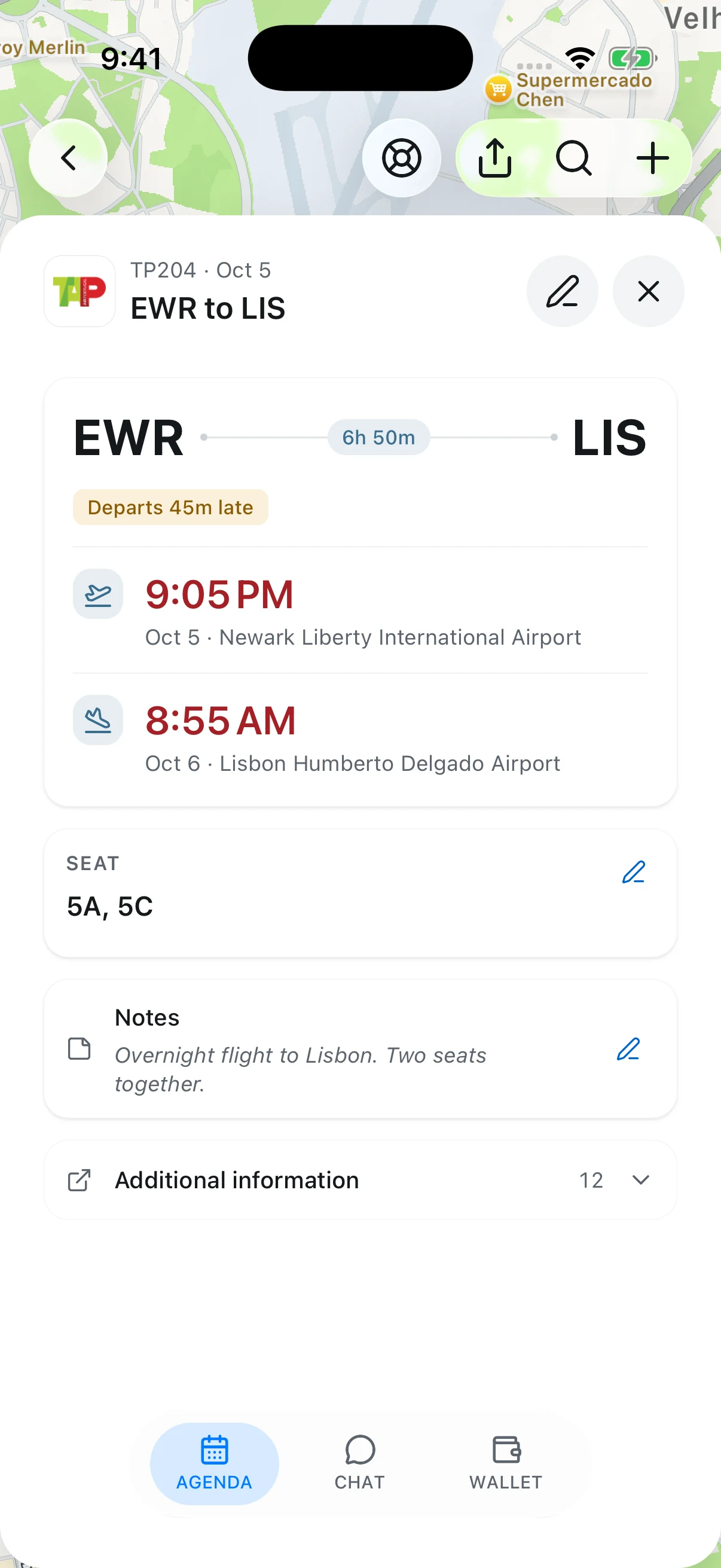
An assistant that
knows your trip.
“When will we get to the hotel?” Your assistant uses the trip you’ve already planned, so you can get an answer without piecing the details together yourself.
Meet your trip assistant ↗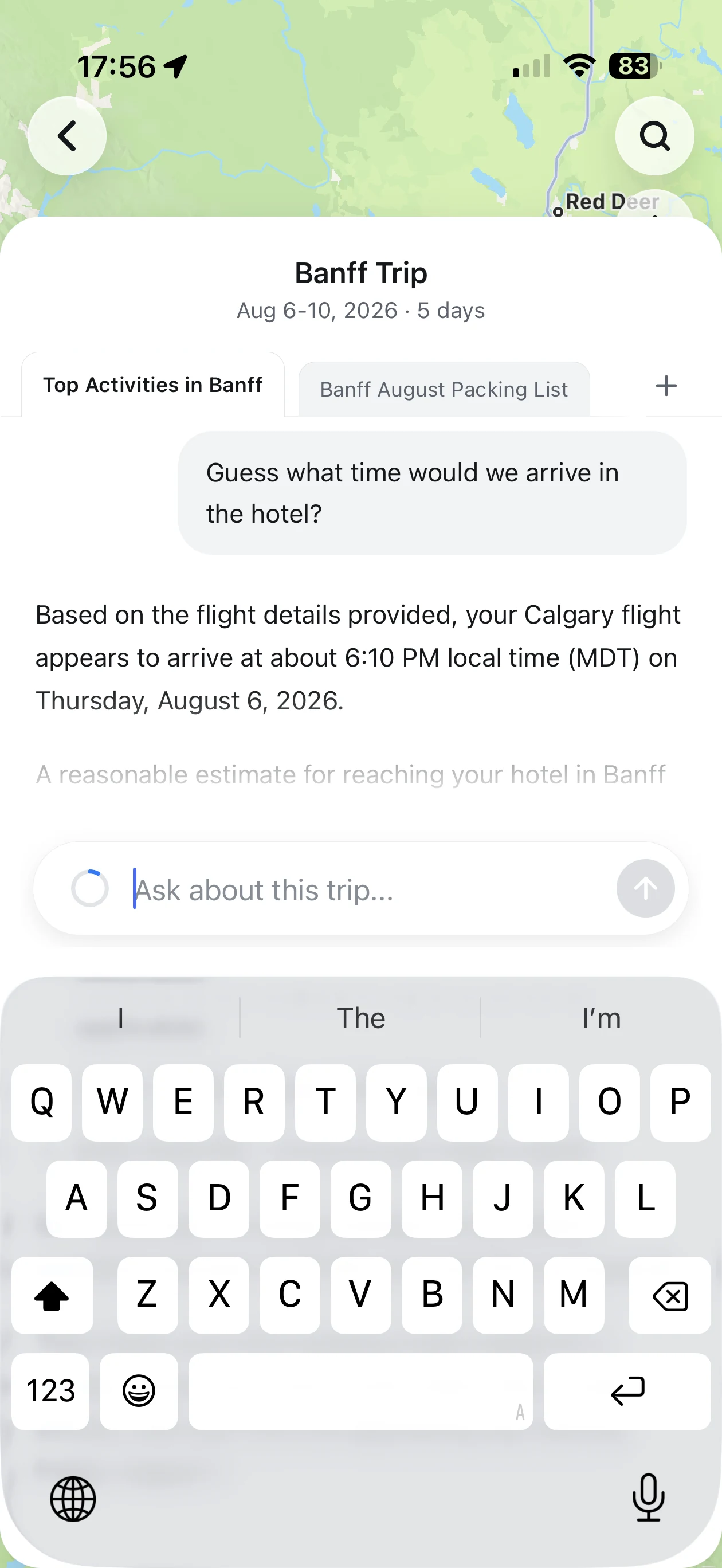
Know where
your travel money goes.
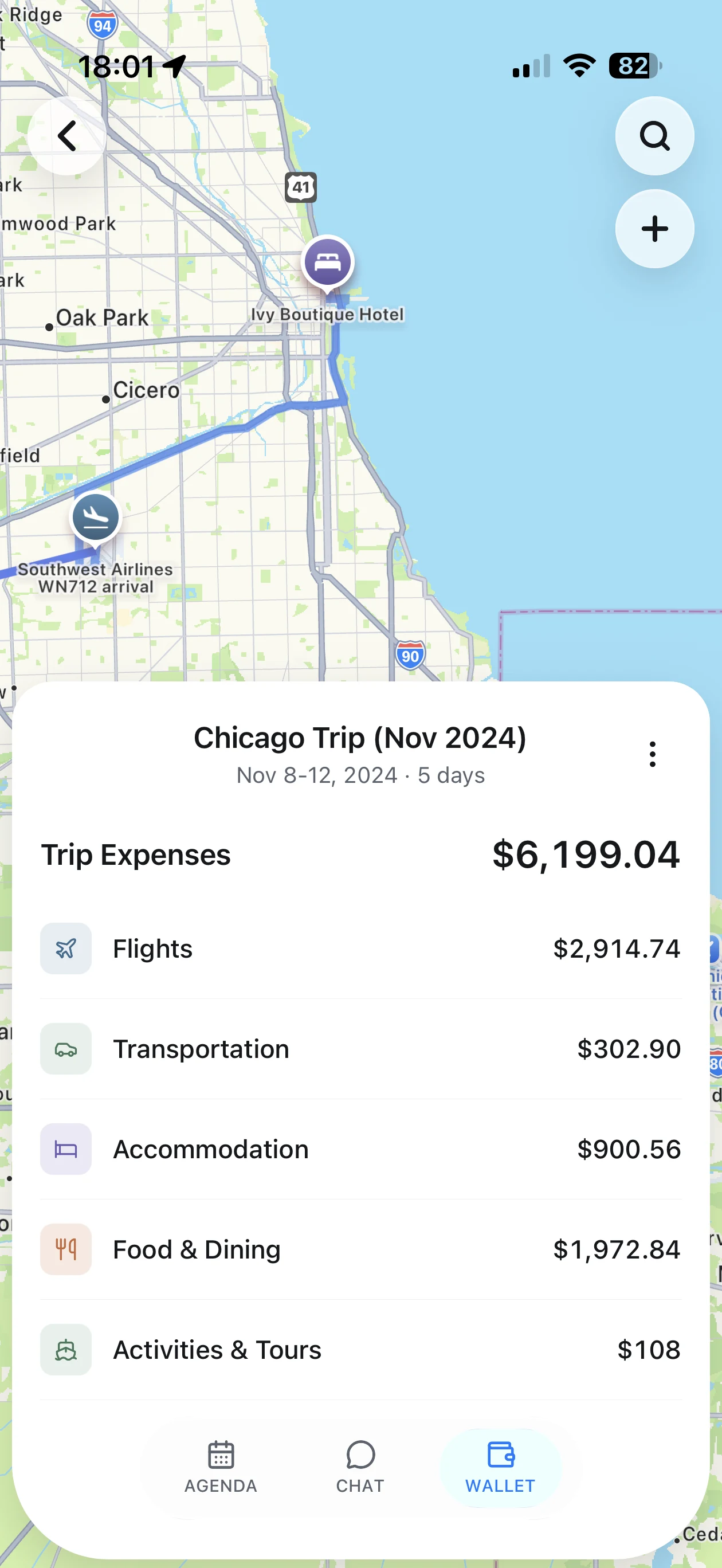
Flights, the hotel, dinner, that extra day out. See your trip costs together, broken down by category, so it’s easier to plan what to spend next.
Take the photos.
We’ll find their place.
Relive the café, the hike, the whole day. TripNoted automatically finds photo matches for your planned activities. Confirm them, then return to a visit and see its photos without sorting an album by hand.

Before you start
Can I save places before I plan a trip?
Yes. Share or paste a supported travel link. TripNoted saves the places it finds in Ideas, grouped by country and city. Add them to a new or existing trip when you are ready.
Do I have to connect Gmail?
No. Gmail is optional. Connect it to import booking emails and update reservation details as new confirmations and changes arrive. You can save places without connecting Gmail.
How does photo matching work?
With photo access, TripNoted uses photo times and locations to suggest matches to activities already in your trip. You confirm the matches to keep. Photos without a clear match stay unassigned.
Are flight alerts free?
Yes. Get free alerts if your flight is delayed or its departure time changes.
Turn “someday” into your next trip.
Available for iPhone.