TripNoted vs TripItGo beyond the bookings.
Your next trip is more than confirmation numbers. Give the places you save, the days you plan, and the photos you bring home the same space as your bookings.
Free to start. Plan on iPhone and web.
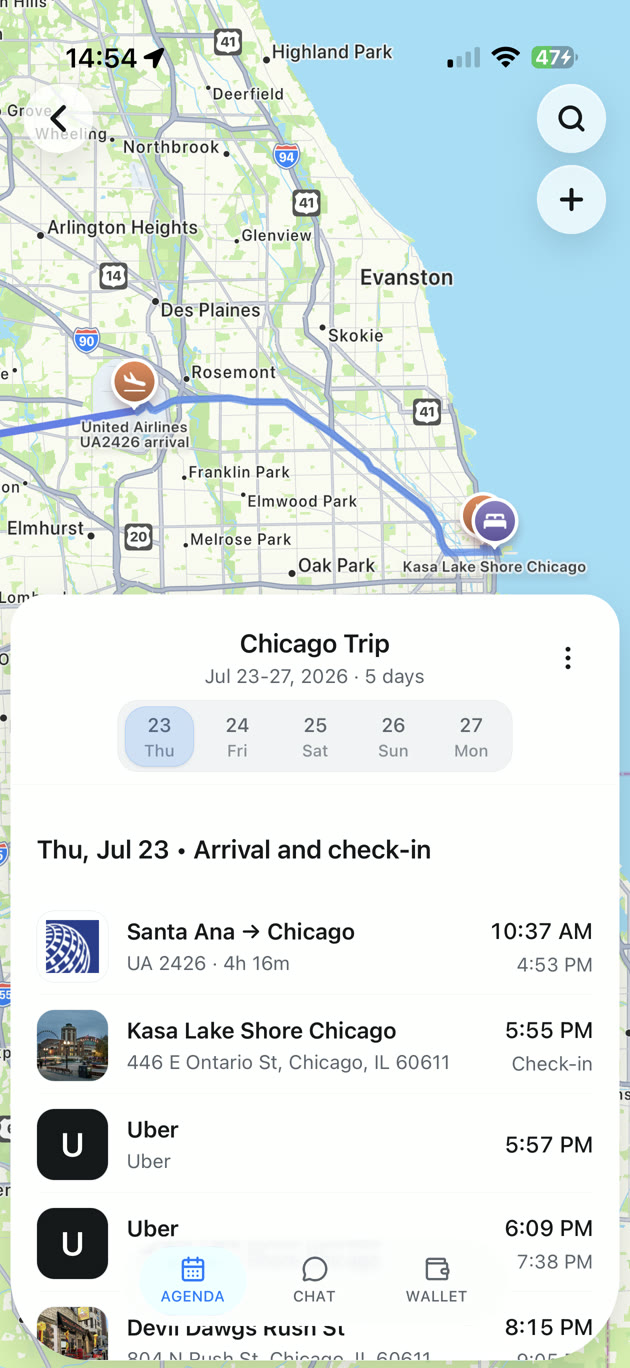

A trip you can’t wait to open.
From the first place you save to the last day away. Give every part of the trip a home.
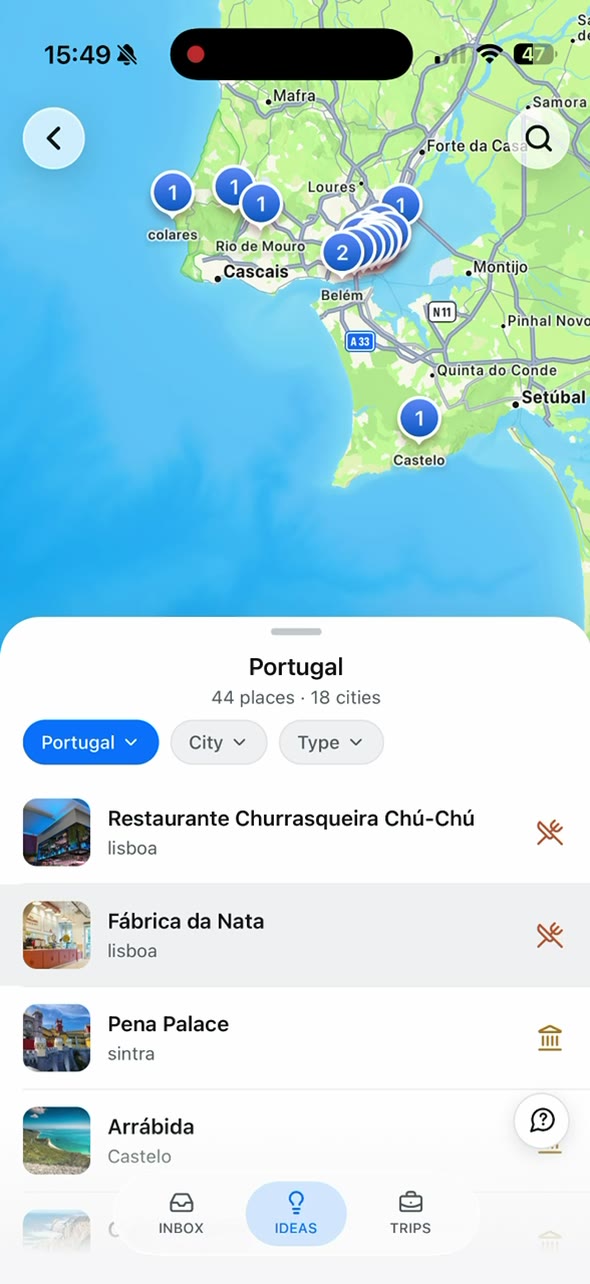
Make your saved places happen.
Share a travel video or link. Find its places on your map, then add them to a trip.
See how the days fit together.
Your bookings, places, and plans. Together on a map and arranged by day.
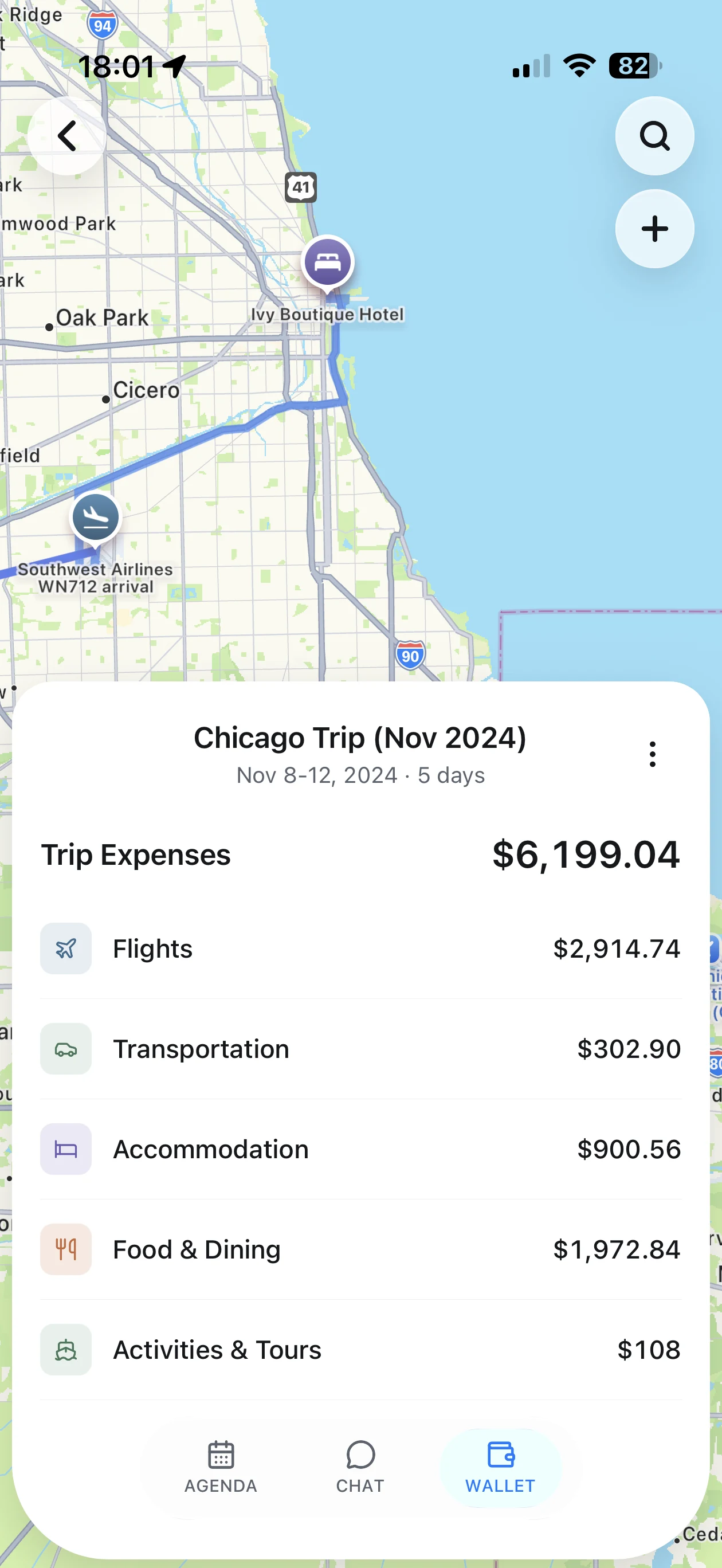
Keep an eye on the budget.
See trip expenses together, with clear totals for stays, flights, food, and more.
Compare the things you’ll use.
TripIt and TripNoted both organize booking emails. Compare what you can do around the itinerary, too.
| For your trip |  TripNoted TripNoted | TripIt |
|---|---|---|
| Places from social links | TikTok, Instagram, YouTube, and web links → places | Place extraction not confirmed |
| Booking email import | Connect Gmail for automatic import | Forward or use Inbox Sync; Free |
| Daily itinerary and map | Your bookings and planned places, together | Itinerary and map view; Free |
| Trip cost overview | Totals and spending by category | Booking cost fields |
| Questions about your trip | Built-in trip chat; plan limits apply | General trip chat not confirmed |
| Photos with your trip | Suggested activity matches (experimental) | Photo and document attachments |
| Shared trip editing | View or edit invitations; included in Free | View or edit invitations |
| Offline trip details | Read saved details and make supported trip edits on iPhone; Free | Saved travel details while signed in |
| Flight alerts and tools | Free alerts when a flight is delayed or its departure time changes | Pro adds flight alerts, help to find another flight, seat and fare tracking, and airport tools |
Features and plan requirements checked September 2026. TripNoted plan limits apply.
Plan the trip you want to take.
Bring the restaurant from that video and the flight in your inbox into the same trip. Then see the days take shape.
Start with what inspires you.
Turn saved travel links into places you can add to a trip.
Let the details come together.
Connect Gmail for bookings, then add your own places and plans.
Keep more than an itinerary.
Ask trip questions, see costs by category, and keep photos with visits.

A few things to know.
Does TripIt also import emails automatically?
Yes. TripIt Free includes Inbox Sync as well as email forwarding. TripNoted also connects to Gmail. The difference to consider is the wider experience: saved travel links, shared editing, free offline trip work on iPhone, trip chat, and photo matching.
Do I need to connect Gmail to plan a trip?
No. You can create a trip and add plans yourself. Connect Gmail when you want to bring in booking emails automatically.
Can I try TripNoted for free?
Yes. TripNoted has a free plan. Gmail import history, connected accounts, and trip chat have plan limits. See the pricing page for the current plan details.
How do photos become part of a trip?
Photo matching is experimental. With your photo-library permission, TripNoted uses photo times and locations to suggest matches with activities in your trip. You review the suggestions before the links are saved. Unclear matches need your review.
Your next trip deserves this.
Save a place. Bring in your bookings. Start seeing the trip come together.