A TripIt alternative for the whole trip.
Bring the flights and hotels in your inbox together with the places you saved for later. Invite your people to plan with you, then take the trip with your details close at hand. Start free with TripNoted.

Free sharing · Free offline trip work · iPhone and web
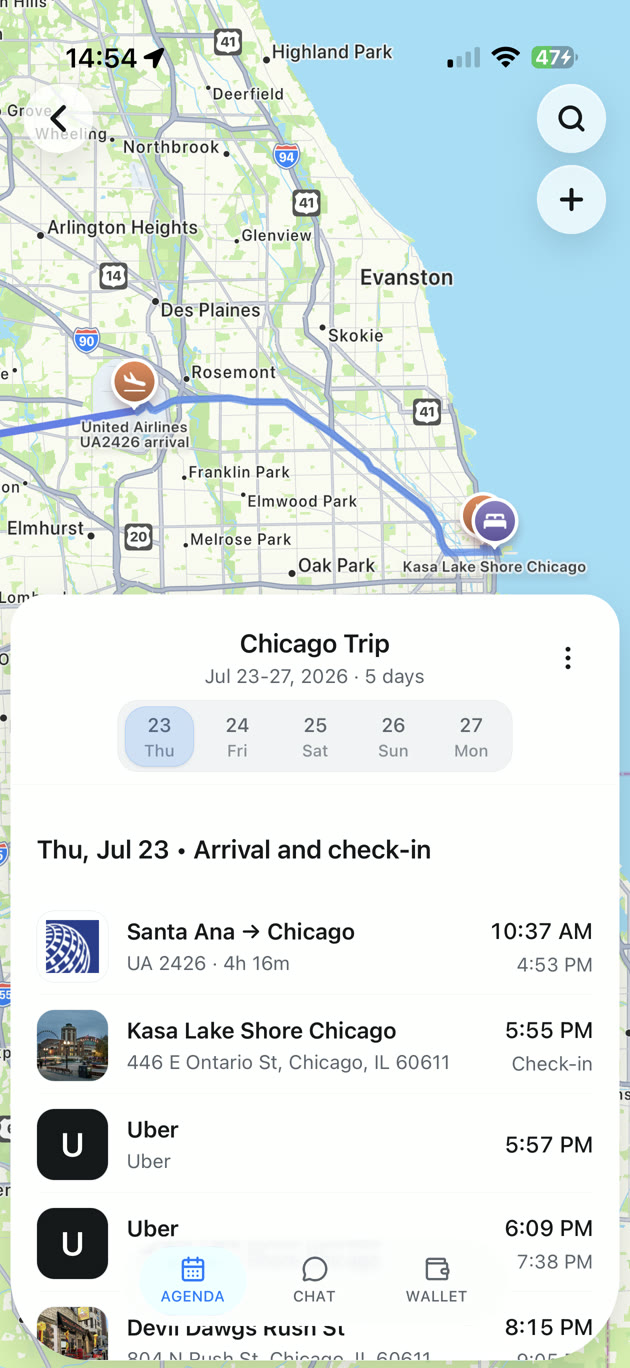
The trip starts before you book.
TripIt brings reservations together well. A great trip also needs space for the places you find, the people you travel with, and the plans you make along the way.
Your ideas live outside your inbox
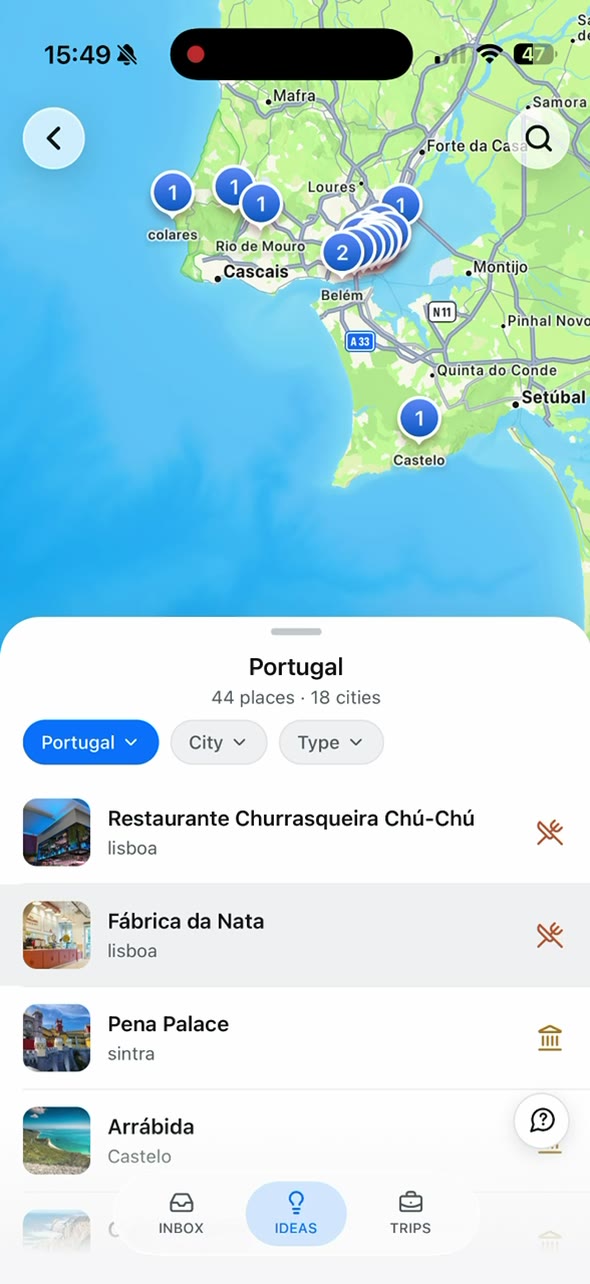
That restaurant from a video and the beach from a friend's guide deserve a place beside your flight and hotel plans.
You plan with other people
A trip is easier to plan when your travel companions can see the same itinerary and help edit it.
You want your plans when service drops
Keep downloaded trip details close and make supported itinerary edits on your iPhone, even without a connection.
TripIt also imports bookings automatically on its free plan. TripNoted Free alerts you when a flight is delayed or its departure time changes. TripIt Pro adds help to find another flight, seat and fare trackers, and airport tools. The difference here is how you turn bookings and saved ideas into a trip you can plan together.
Build the trip around what matters to you.
Start with what you booked. Add what caught your eye. Make a plan that everyone can use.
Put the booked and the dreamed-of together.
Connect Gmail for flights, stays, and other reservations. Share a supported travel link from TikTok, Instagram, YouTube, or the web. TripNoted can find relevant places and save them in Ideas for your trip.
Start with six months of bookings.
The free plan connects one Gmail account and imports recent booking emails. Plus can run a separate history import of up to ten years when you want to bring older trips along.
Invite people into the plan.
Share one trip, selected trips, or all current and future trips. Choose who can view and who can edit. Sharing is included in Free and Plus.
Keep planning when you lose signal.
Read saved trip details and make supported trip and itinerary edits offline. Your iPhone keeps those changes for sync when you reconnect. Offline work is free.
Plan in the app or on the web.
Open TripNoted on your iPhone or at app.tripnoted.com. Use the iPhone app for supported offline trip work.
TripNoted vs TripIt, at a glance.
Both can organize your bookings. The best choice depends on what you want to do next.
Swipe across to compare both apps.
| Feature | TripNoted | TripIt |
|---|---|---|
| Automatic email import on Free | Yes, from one connected Gmail account | Yes, via free Inbox Sync |
| Initial inbox lookback | Up to six months of recent bookings on Free | Travel emails received in the last seven days at sign-up |
| Saving places from travel links | Supported links can become place Ideas to add to a trip | Find nearby places and add plans to a trip |
| Sharing and editing | Invite guests to view or edit on Free | Share plans and invite others to edit |
| Offline use | Read saved details and make supported trip edits on iPhone, free | Read saved trip details in its mobile apps |
| Flight alerts and tools | Free alerts when a flight is delayed or its departure time changes | Pro flight alerts, help to find another flight, seat and fare tracking, and airport tools ($49/year) |
Want the long version? Read the full TripNoted vs TripIt comparison →
Start with the plans already in your inbox.
Connect Gmail to bring in recent bookings. Add the saved places and people that will make the trip yours.
- Connect one Gmail account on Free; no Google password stored
- Import recognized bookings from the last six months
- Save places from supported travel links as Ideas
- Invite guests to view or edit the trips you share
Have notes, documents, or plans you entered by hand in TripIt? Add those separately. See how our travel itinerary planner brings the trip together.
TripIt alternative questions, answered.
The things people ask before switching from TripIt.
Yes. Free includes one Gmail account, a six-month initial booking import, trip sharing with view or edit access, and supported offline trip work. Plus adds a separate history import of up to ten years, a second Gmail account, and more trip questions.
Both TripNoted and TripIt offer automatic inbox import for free. TripNoted Free also alerts you when a flight is delayed or its departure time changes. Choose TripNoted if you want saved travel links to become place Ideas, guests to help edit a trip, and supported offline planning on iPhone. TripIt Pro adds tools such as help to find another flight, seat and fare tracking, and airport guidance.
No. TripNoted can read recognized booking emails from a connected Gmail account. TripIt also offers free Inbox Sync for supported email providers, so forwarding is optional there too.
No. Guests can view or edit the trips you choose to share, but sharing a trip does not give them access to your Gmail.
Yes. TripNoted has an iPhone app and a web app. The supported offline trip work described here is in the iPhone app.
Start planning the trip together.
Bring bookings and saved places into one trip. Share it with the people coming along, and keep supported plans ready offline on iPhone. Start free.
No password stored · Disconnect anytime · Available on the App Store