Keep Hotel Options Separate From Confirmed Stays
By TripNoted · Updated November 3, 2026
A hotel in your shortlist is not a booked stay. Compare each option with the same dates, guests, room count, and total. Keep the hotel or seller page beside each option. Mark a stay confirmed only after the source you booked with sends a confirmation.

Compare hotel options on the same terms
First set the trip details that every option must match. A room that costs less per night can cost more for the full stay or have terms that do not fit your plans.
- Use the same dates and guests. Enter the same check-in and check-out dates, number of adults and children, and number of rooms for each search. Check the location too. A room farther from your plans can add travel time and cost.
- Compare the full stay total. Check the currency and the total for all nights. Read the final price details for taxes, fees, deposits, and any amount due at the property. Save the total shown by the hotel or seller, not only the nightly amount in a result list.
- Compare the room and what it includes. Check the bed type, guest limit, breakfast, and other details you need. A room request is not the same as a confirmed room type.
- Read the exact payment and cancellation terms. Note when payment is due and the last time you can cancel or change the stay. Policies can differ by room, rate, property, and dates. For example, Booking.com’s customer service page says the property sets cancellation fees in the reservation’s policy. It also says payment details, including who charges your card and when, appear in the confirmation.
- Save the official booking source. If you book on the hotel’s own site, save that page. If you book through a travel seller, save the seller’s listing and, later, its confirmation. Copy the link into the same row as the option so you can reopen the exact source.
- Choose one option, then check for confirmation. A selected option or an open checkout page is not a confirmed stay. Keep its status as “Candidate” until the hotel or seller confirms the reservation. Save the final confirmation and use it to check the guest name, dates, room, payment, and cancellation terms.
For a Booking.com reservation, changes can start from the confirmation email or Booking.com, but the property’s policy controls what you can change. Read the current terms for your own stay. Use our hotel confirmation guide to check the details in a confirmation, then use our hotel check-in and check-out guide to plan the arrival time.
Example: compare first, then confirm
Here is a fictional three-night trip for two adults, June 10–13, 2027. The invented amounts and terms show how a cheaper rate can give you less flexibility. Use the current hotel or seller details for your own trip.
| Option | Status | Details to compare | Official booking source |
|---|---|---|---|
| Courtyard Hotel · June 10–13 · 2 adults | Candidate Not booked | €480 total for 3 nights, including taxes. One room; no breakfast. Pay at the hotel. Free cancellation before June 7 at 6 pm, hotel local time. | Courtyard Hotel’s own rate page. Keep its exact link with the €480 offer and the cancellation deadline. |
| Station Rooms · June 10–13 · 2 adults | Candidate Not booked | €450 total for 3 nights, including taxes and breakfast. One room. Pay now; non-refundable. | The travel seller’s Station Rooms rate page. Keep its exact link with the €450 offer and non-refundable terms. |
| Courtyard Hotel · June 10–13 · 2 adults | Confirmed After the source confirms the booking | €480 confirmed total. June 10–13 for 2 adults. The confirmation shows payment at the hotel and the June 7 cancellation deadline. | Courtyard Hotel’s final confirmation email and reservation page. Keep these beside the original rate link. |
The hotel names, prices and terms above are invented. “Candidate” and “Confirmed” are labels for your own note or table, not TripNoted status names.
In this example, the traveler chooses the flexible €480 stay. Station Rooms stays unbooked; it does not become a second reservation. Keep a copy of the listing details with the link. A price or policy can change before you book. Use the latest page at checkout, then keep the final confirmation as the record for your stay.
Keep the shortlist apart from your trip
Keep unbooked options in a note or spreadsheet. Do not add each one to your trip as if you will stay there. When the booking source confirms one option, add that hotel plan to your itinerary and keep the original confirmation. If a date or room changes later, compare the new message with the latest confirmation. Our guide to updating an itinerary after a booking change covers that next step.
Put the confirmed stay with the rest of your trip
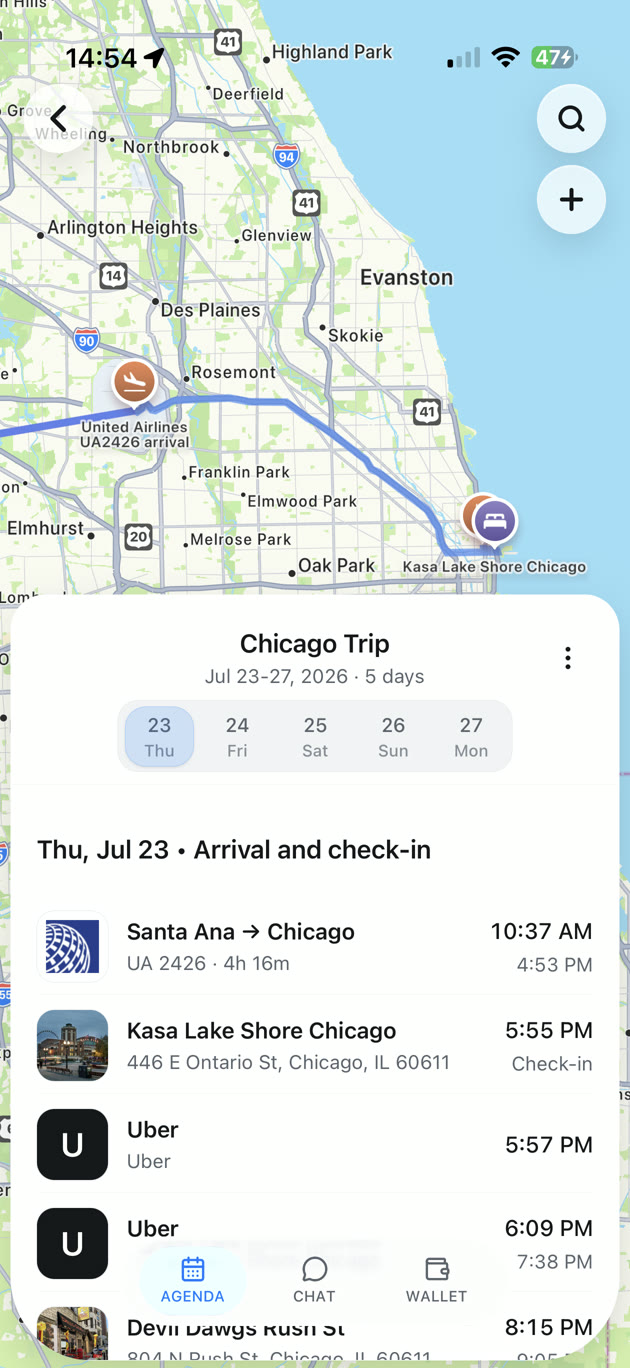
With TripNoted Free, you can create a trip and add your hotel by hand. Keep the confirmed stay beside your flights and daily plans, so the address and arrival date are easy to find. You can start without connecting Gmail. Keep the hotel or seller’s confirmation for the reservation’s current status and terms.
When your hotel is confirmed, add it to your trip instead of leaving it among saved options. See what TripNoted can organize.

If a booking detail does not match
- You cannot find the confirmation. Check the email inbox, Spam, and Junk folders that match the address you used. If you booked through Booking.com, its customer service page says you can use its Help Center to resend a missing confirmation.
- The price or terms changed. Stop before you pay. Compare the current total and cancellation terms with your saved note. If they do not fit, return to your shortlist or contact the hotel or seller through its official page.
- The latest email differs from your earlier message. Keep both messages. Check the current booking in the hotel or seller account. For a Booking.com reservation, the change options depend on the property’s policy.
- You are not sure which company has your booking. Open the page or confirmation from the company that took the reservation. Use its contact details to check the current stay.
Keep confirmation numbers, guest names, and full booking messages private. Do not put them in a public note or shared link.
Hotel option questions
When should I mark an option as confirmed?
After the hotel or seller confirms the reservation in its account or sends a confirmation. Keep the confirmation with the option’s source link. A checkout screen or saved search does not confirm a stay.
Should I compare the nightly price or the full total?
Compare the full total for the same dates and guests. Check the currency, taxes, fees, and when each amount is due. Read the final price details before you book.
Can TripNoted book the hotel I choose?
No. Complete the booking with the hotel or seller. Then add the confirmed stay to TripNoted to keep it with the rest of your trip.