Are Flight Times Local? Time Zones and +1 Arrivals Explained
By TripNoted · Updated October 21, 2026
Yes. Airline schedules normally show departure in the departure airport’s local time and arrival in the arrival airport’s local time. You do not need to convert the arrival time before arranging a pickup. You do need to check the arrival date: +1 means the next calendar day, not an extra hour.

Read each airport’s time separately
Think of the itinerary as two local clocks. One tells you when to leave the departure airport. The other tells you when you reach the destination. Your home time zone does not replace either one.
Airlines use this convention in their timetables. For example, Air Japan’s published schedule labels its departure and arrival times as local and marks a next-day arrival with +1.
- Find the departure airport and date. Read the time beside that airport. A 19:00 departure means 7 p.m. there.
- Read the arrival airport and date. Use that airport’s local time for your pickup and arrival plans. Look for a separate date or a +1 or +2 marker.
- Check each connection. Read every flight leg on its own. A multi-flight journey can cross midnight more than once.
- Match the plans after landing. Put the transfer, accommodation, and first activity on the destination’s correct date.
If the itinerary does not show enough detail, open your airline booking and expand the flight information. Use the latest confirmation if the schedule has changed. Our guide to flight confirmation details helps you find the booking reference and check the right flight.
Keep the flight and arrival plans together with TripNoted Free
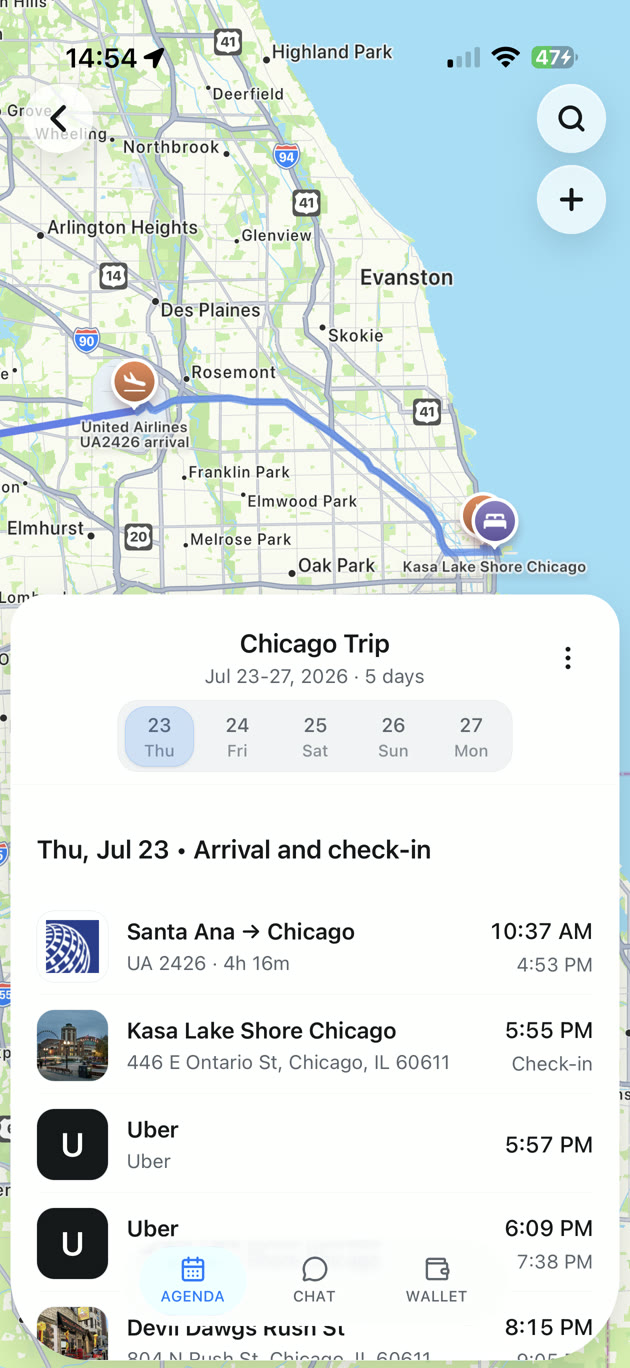
It is easier to spot a date mismatch when your flight, hotel, and pickup are in one place. TripNoted brings recognized booking emails into a trip agenda. You can also forward a confirmation or add plans manually. Gmail is optional.
- Bring in the booking. Connect Gmail for recent recognized travel emails, forward the confirmation, or create the plan yourself.
- Check the flight against the airline. Compare both airport names, local dates, and times with the latest confirmation. Correct any detail that needs attention.
- Line up the arrival day. Keep your stay and transfer with the flight so you can review the sequence before departure.
Free includes manual plans, trip sharing, and saved itinerary access offline in the iPhone app. Open the trip while connected before you travel. You can also opt in to free departure time-change and delay alerts for saved flights.

Why a flight can look longer than it is
Subtracting the printed departure time from the printed arrival time works only when both use the same clock and you include the dates. Across time zones, use the airline’s listed duration or convert both times to one time zone first.
Here is a made-up overnight example, not a live flight schedule:
| Event | Local date and time | Same moment in UTC |
|---|---|---|
| Leave New York | January 15, 2027, 7 p.m. EST (UTC−5) | January 16, midnight |
| Arrive in London | January 16, 2027, 7 a.m. GMT (UTC+0) | January 16, 7 a.m. |
The elapsed time is seven hours. London’s clock is five hours ahead of New York’s on these dates. The printed times look twelve hours apart, but five of those hours come from the clock difference.
For this example, tell your pickup contact “January 16, 7 a.m., London local time.” Plan the arrival day for January 16. If you want a hotel room that early, ask the hotel which night to reserve or whether early check-in is available.
What +1, +2, and midnight mean
+1 beside arrival means one calendar day after departure. Leave on Friday and arrive at 07:00 +1: that is Saturday at 7 a.m. at the destination. It does not mean the flight takes 24 hours.
+2 indicates an arrival two calendar days later. In a detailed itinerary, read the marker with its flight leg and the explicit dates. If a summary is unclear, use the expanded flight details rather than guessing.
For midnight, read the date before the clock. 00:30 Tuesday is half an hour after Monday night ends. Leaving home on Tuesday evening would be too late for that departure. When a booking uses 12-hour time, remember that 12 a.m. is midnight and 12 p.m. is noon.
Pacific journeys can also seem to arrive “before” departure by the local clock. Different time zones and the International Date Line explain that apparent jump. Keep the airline’s full local dates; do not add or remove a day yourself just because the clock looks unusual.
Check the calendar’s display before changing the booking time
An event can show a different clock time in your calendar while still representing the correct moment. Apple Calendar normally displays events in the time zone of your current location. Its Time Zone Override setting can hold the display to a chosen place instead.
On iPhone, check Settings → Apps → Calendar → Time Zone Override. Read the event’s time-zone details before editing its time. Changing the display zone and changing the event itself are different actions. Apple’s time-zone instructions explain both.
If the airline says departure is 7 p.m. New York time, do not change the booking record to 7 p.m. London time to make a calendar label look familiar. Check the location, date, event zone, and calendar display first. For the setup steps, see adding a flight to Apple Calendar.
A quick check before you travel
Time differences can change with daylight saving time. Check the actual travel date instead of reusing a conversion from a past trip. A city-based time zone is more useful than assuming the same UTC offset all year.
| Your task | Time to use | Check this too |
|---|---|---|
| Reach the departure airport | Departure airport’s local date and time | Your airline’s check-in and boarding deadlines |
| Arrange a pickup | Arrival airport’s local date and time | Next-day marker and latest flight status |
| Plan a connection | Each leg’s full local dates and times | Airport, terminal, and airline connection instructions |
| Check a calendar event | The event’s time zone and the calendar’s display zone | Compare the same moment with the airline confirmation |
| Compare flight duration | Both endpoints converted to one time zone | Include dates and any clock change |
Before leaving, keep the latest itinerary available on the phone you will carry. Our offline itinerary guide covers that final check.
Questions about flight times
Do I convert the arrival time to the destination’s time zone?
Normally, no. The airline’s arrival time already uses the arrival airport’s local time. Check the full date, especially for an overnight flight.
Does +1 mean the flight is delayed?
No. In a flight schedule, +1 marks the next calendar day. A delay is a change from the scheduled time. Check the airline’s flight status for the latest estimate.
Why does the calendar time differ from my confirmation?
The calendar may be displaying the event in another time zone. Compare the date, event zone, and display zone before changing it. If the details still disagree, check the latest airline confirmation and correct the entry that is wrong.