How to Organize Train Tickets in Your Travel Itinerary
By TripNoted · Updated October 27, 2026
A good train travel day starts with the right station and a ticket you can open. Keep each rail booking in your itinerary with its full station names, local date and time, train number, and any assigned coach and seat. Then check how one journey connects to the next. You can see the whole day at a glance and keep the carrier’s ticket ready for boarding.
Build a clear record for each train
- Start with the latest booking and ticket. Find the confirmation email and open its ticket link or attachment. Save the ticket using the options your operator provides. Keep the booking reference for managing the reservation, and check that you can open the actual ticket or barcode when you need it. For example, Amtrak eTickets can arrive as a PDF attached to the receipt and can be retrieved in its app.
- Copy the full departure and arrival station names. Include the city and the exact station shown on each ticket. Check the station address when you plan how to get there. A city name alone can hide a transfer between two different stations. Keep the arrival station from the first journey beside the departure station for the next.
- Record the date, local times, and train number. Use the times printed on the ticket. Check the arrival date for an overnight train. Add the service or train number when supplied so you can find the right departure on a board or in the operator’s app. If the journey crosses time zones, keep each local time with its station name. Our guide to local travel times explains date changes and time zones.
- Add the coach and seat when assigned. Copy both, rather than a seat number on its own. Some services use “car” or “carriage” instead of “coach.” Leave room to update the record if the operator changes it. Seat arrangements vary: Amtrak’s seating guidance describes assigned seating on selected services and classes.
- Plan arrival at the station separately. Check the operator’s current boarding instructions for your route, station, and ticket. Add time to reach the correct entrance, handle bags, and complete any required checks. A departure time tells you when the train leaves. Use the operator’s guidance to decide when to be at the station.
Keep one plan for each train you will board. If one purchase contains several legs, check that you have the documents for all of them. Eurostar’s connecting-journey guide explains that a connected booking can include separate tickets for each leg.
Turn two bookings into one travel day
Imagine these two bookings on a Tuesday. The station names, service numbers, and times below are made up to show the method. Replace them with the details on your tickets.
| Detail | First booking | Next booking |
|---|---|---|
| Stations | Central Station → Lake Station | Lake Station → Hill Station |
| Service | Train 214 | Train 605 |
| Local times | Tuesday, 10:00–11:20 | Tuesday, 13:00–14:10 |
| Assigned place | Coach 6, seat 42 | Coach 3, seat 18 |
| Connection check | Arrive at Lake Station at 11:20. | Leave Lake Station at 13:00. Check the next train’s boarding instructions. |
The gap is one hour and 40 minutes. Check what must fit inside it: leaving the first train, finding the next platform, and meeting the next service’s boarding requirements. If the second ticket says a different station, add the journey between stations as its own part of the day. Check that route before relying on the connection. Build the rest of the trip around these fixed journeys with our multi-city planning guide.
Keep the rail day together in TripNoted Free
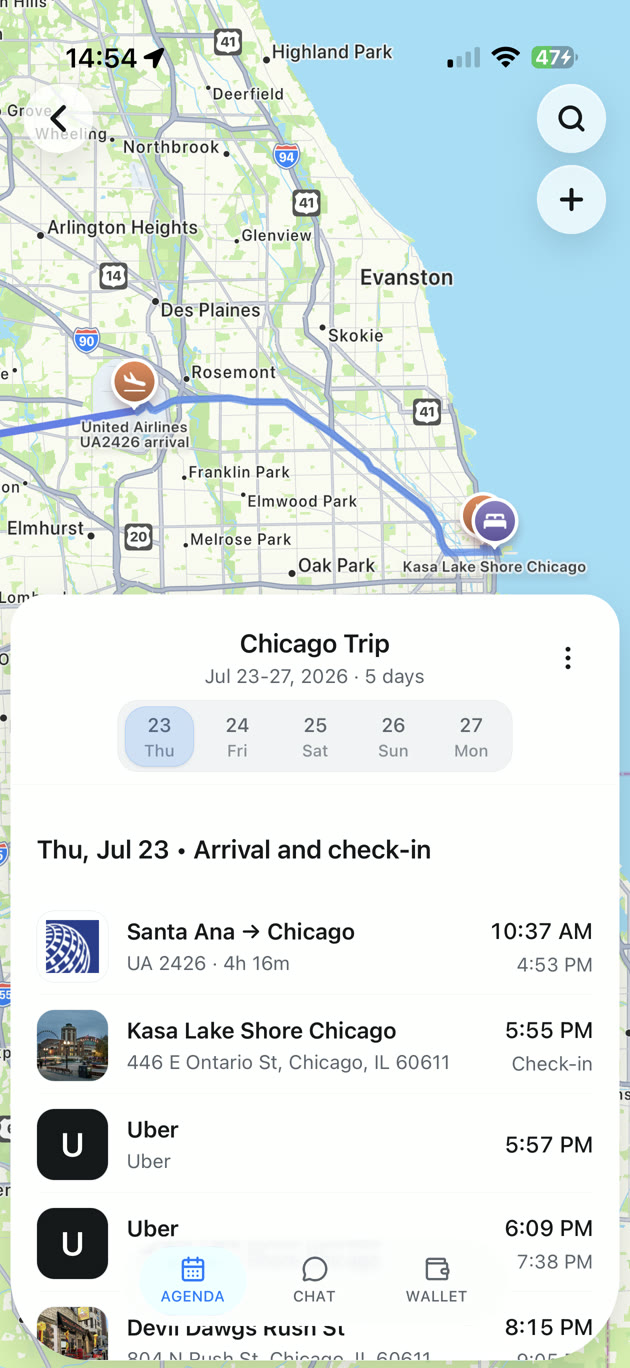
TripNoted Free puts your train plan beside your flight, hotel, and the other parts of your trip. If you connect Gmail, it can organize recognized rail bookings from recent travel emails. You can also add a train manually, so you can start with the ticket you already have.
- Open your trip and add a plan. On iPhone, choose Train under Type. Give it a useful Title, such as the direction and train number.
- Add the departure details. Choose the departure station under Location while online and enter the departure date and time from your ticket. Keep the arrival station, local arrival date and time, booking reference, coach, seat, and connection instructions together in Notes. If arrival is in a different time zone, leave End date and End time blank and keep that local arrival time with its city in your notes.
- Review it with the rest of the day. Compare the saved details with your ticket, especially dates and times when the stations are in different time zones. Check the hotel arrival and any onward transfer too.
Manual plans, trip sharing with view or edit access, and offline access to saved trip details on iPhone are included in Free. Before departure, open the trip while online and prepare it for offline use. Keep your carrier’s ticket available as well.

Check the operator again before boarding
Use the operator’s website or app for current train status. At the station, follow the departure boards and staff instructions for your platform and boarding point. Amtrak’s boarding guide explains how these steps vary by station. Check the full train number and destination before joining a queue.
If a booking changes, get the updated ticket and review your itinerary. Check the next train, hotel arrival, and any transfer affected by the new time. Eurostar’s ticket guidance tells travelers to save the updated ticket to their wallet app after a change. Our booking-change checklist helps you review the rest of the day.
Choose the right place for each detail
| Option | Best use | What to check |
|---|---|---|
| Carrier app or website | Get the current ticket, manage the booking, and check service updates. | Ticket access, sign-in, and offline options for your operator. |
| Downloaded ticket | Keep the operator’s boarding document close at hand. | Open the file and replace it after a booking change. |
| TripNoted Free | Keep rail plans with hotels, flights, notes, and other trip details. | Review the saved plan against the ticket and keep the carrier ticket ready. |
| Calendar or notes | Keep a simple time block or a personal checklist. | Include exact station names and review changes yourself. |
Common questions
Is a booking reference enough to board a train?
Check your operator’s instructions. A reference can help you retrieve or manage a booking. Open the ticket or barcode the operator asks you to present, and keep it available before you reach the boarding point.
Does every train ticket have a seat number?
No. Seat arrangements depend on the operator, route, and class. Save a coach and seat when they are assigned. Otherwise, follow the operator’s boarding and seating instructions.
How much time should I leave between trains?
Check the actual stations, transfer route, and boarding requirements for both services. Include time to leave the first train and reach the next boarding point. Ask the operator or booking provider if a change puts your planned connection at risk.