Wanderlog vs Tripsy: Which Travel Planner Fits Your Trip?
Wanderlog is a good fit for building a vacation around places on a map, especially when your group uses both iPhone and Android. Tripsy suits travelers who want their bookings, documents, and daily plans together across Apple devices. Both help you organize a trip, but their device support and paid features can make the choice much easier.
Start with the trip you are planning. Are you choosing stops for a road trip, collecting flight and hotel bookings, or trying to get everyone onto the same itinerary?

Choose the app that fits your next trip
- Choose Wanderlog for a map-based plan that friends can build together across iPhone, Android, and the web.
- Choose Tripsy for a travel organizer across iPhone, iPad, Mac, and Apple Watch, with detailed control over guest access.
- Consider TripNoted if you want automatic Gmail booking imports, shared editing, and offline access on iPhone in a free travel organizer.
Planning with friends: check their devices first
The best shared plan is one your friends can use.
Wanderlog lets a group arrange places and days together. It has native apps for iPhone and Android, plus a web planner. That makes it a practical choice when everyone has a different phone. Its expense tools also help a group record costs and split them.
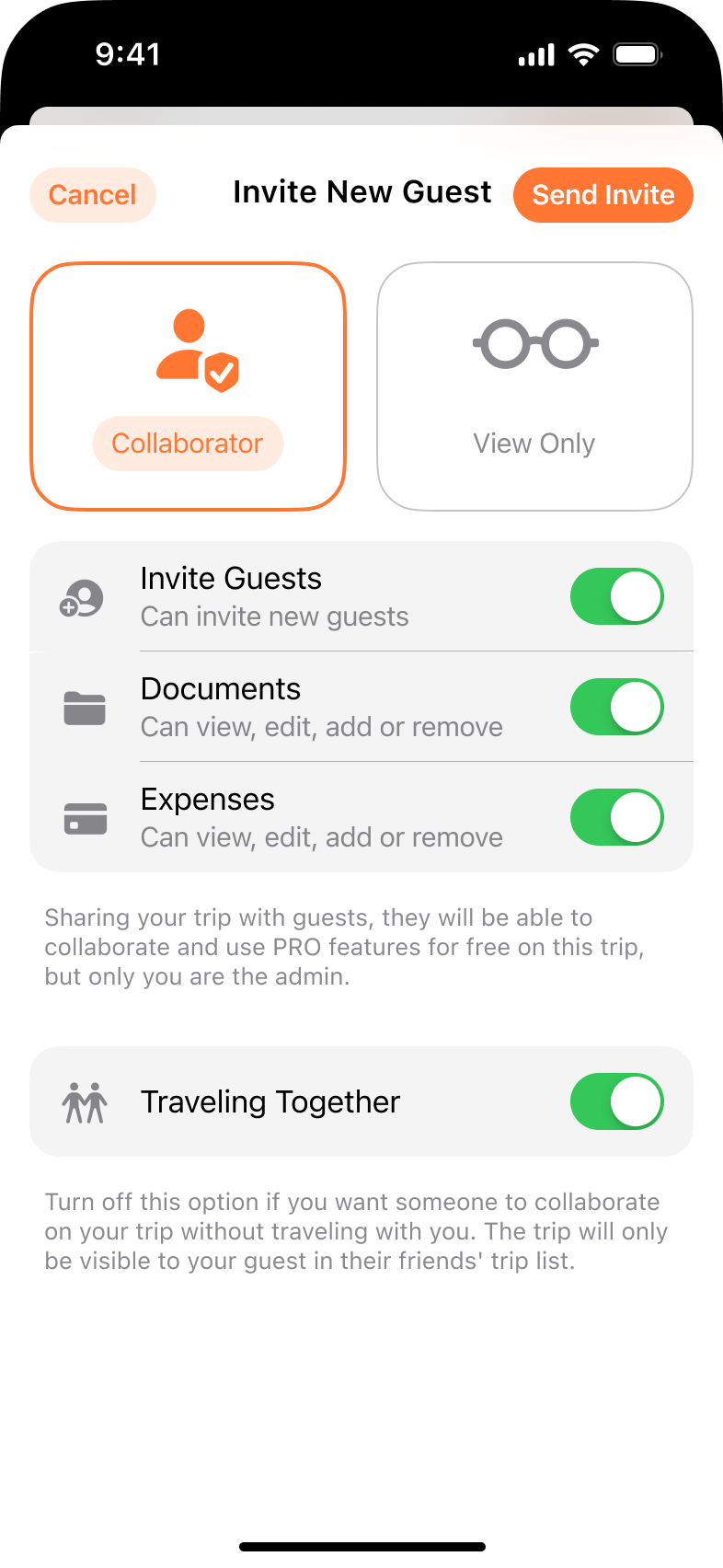
Tripsy has a different strength: you can give someone permission to view a trip or help edit it, then control access to documents and expenses. That is useful when you want a friend to help with the itinerary while keeping personal travel documents private.
Tripsy now has a web viewer too. Guests can check itineraries in a browser, but creating and editing trips still takes place in its Apple apps. Its native Android app is on a waitlist.
If your group wants to edit plans in a browser, this difference matters more than which app has the prettier map.
Bookings and travel ideas: both apps can do more than hold a list
Wanderlog combines saved places with a daily itinerary. You can forward reservation emails, while automatic Gmail scanning is a Pro feature.
Tripsy Pro organizes forwarded reservations and keeps notes and documents with your travel plans. Its Smart Import also accepts photos, screenshots, files, text, map lists, and supported travel links. You review the results before adding them to the trip.
That means Tripsy is useful before you finish booking, too. A saved restaurant post or a friend's list of places can become part of the plan.
The main question is how you prefer to start: a map full of possible stops, or a trip that brings reservations and useful details together.
Roads and routes: do you want stops arranged for you?
For a road trip, the order of your stops can change the whole day.
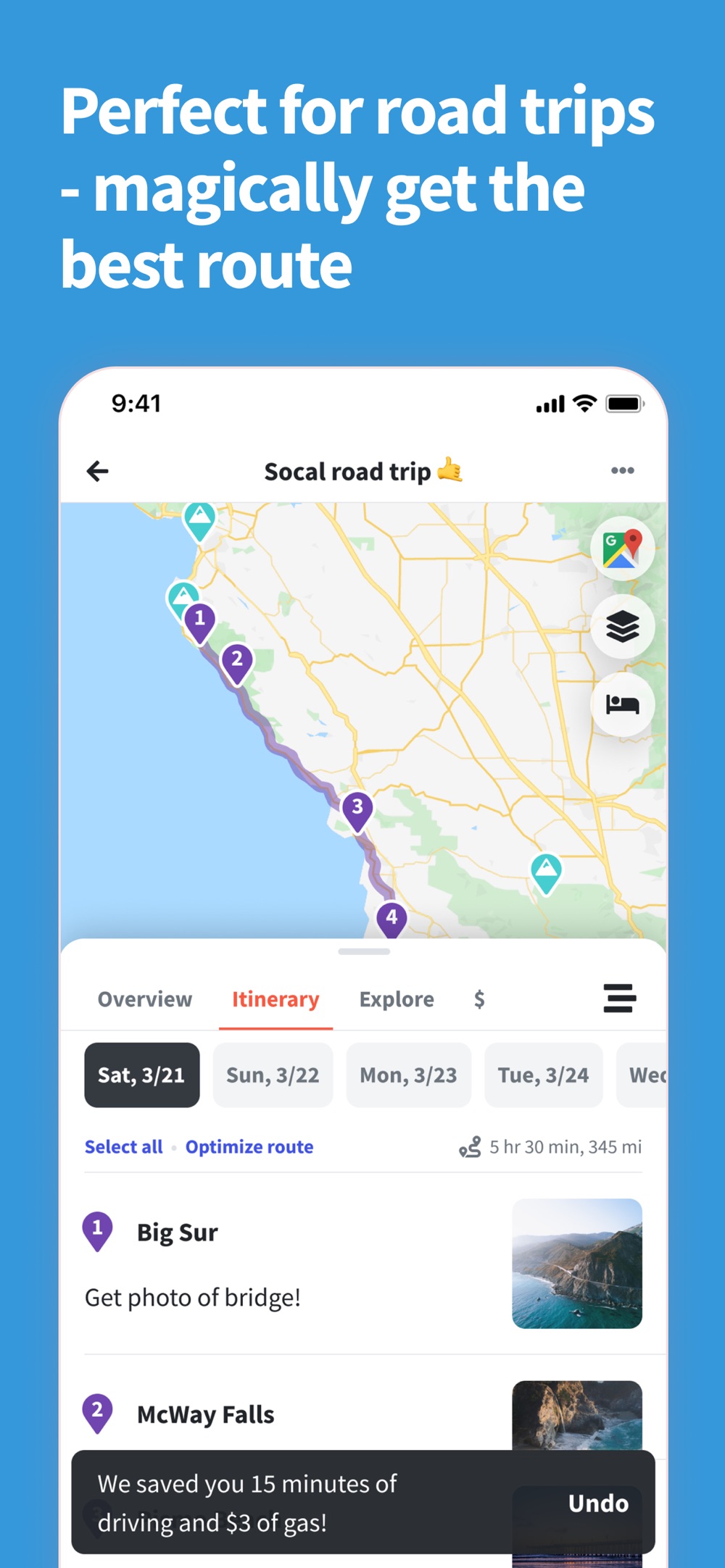
Wanderlog Pro can rearrange stops to optimize a route. That helps when you have a list of places and want an efficient order.
Tripsy also has route tools. Its multi-stop routes let you choose a starting point, add stops, set how long you will stay, and move stops into a different order. It calculates travel estimates between them. These tools help you build a route around your chosen schedule.
Use automatic stop ordering when efficiency is the main task. Use a schedule you control when lunch reservations, timed tickets, or a long stop are what shape the day.
What if you mainly want your bookings organized for free?
You may not need a full road-trip planning tool. You may just want the hotel address, flight time, and shared plan ready when you need them.
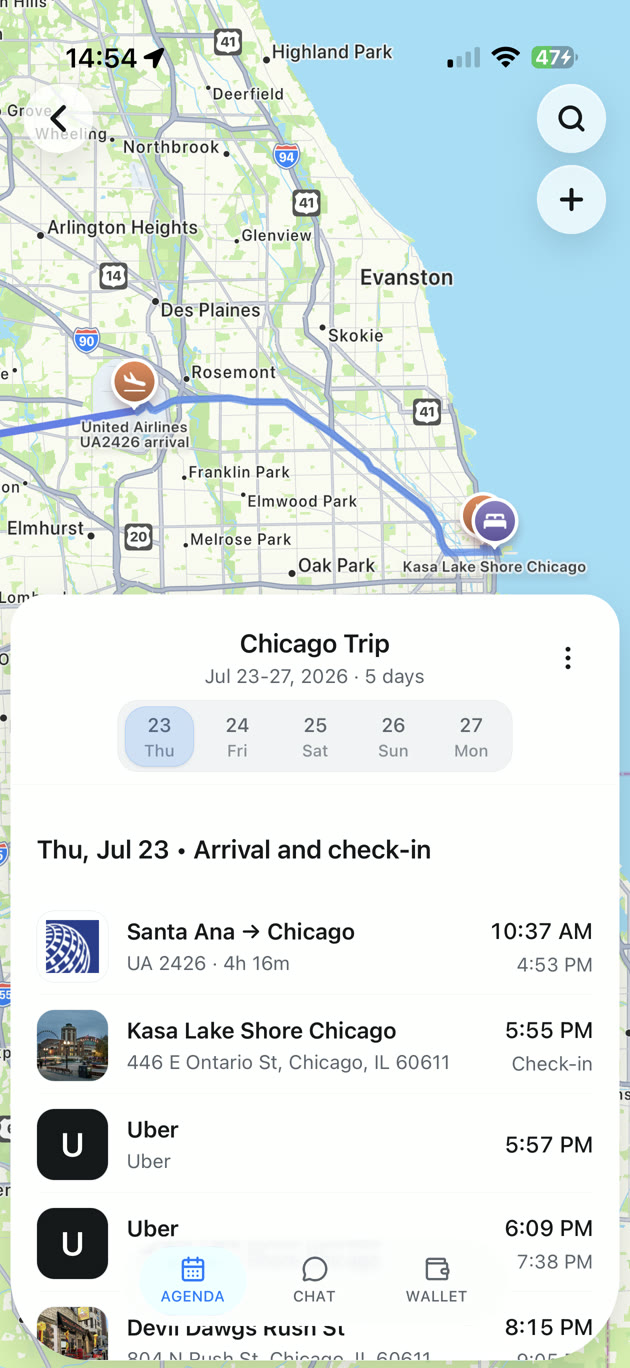
TripNoted Free brings recognized bookings from a connected Gmail account into your trips automatically. Booking updates help keep the itinerary current, so you spend less time copying details from email.
You can invite someone to view or edit the trip, save travel links as Ideas, and add the places you want to visit. Use the web version to open your plans in a browser. On iPhone, saved trip details remain available offline, and supported itinerary edits can sync when you reconnect.
Free also includes calendar sync and flight alerts for departure time changes and delays. It is a useful place to start when your goal is a trip that stays organized without adding another planning chore.

Compare the features that matter for your trip
On a phone, scroll the table sideways to compare the apps.
| What you need | Wanderlog | Tripsy | TripNoted Free |
|---|---|---|---|
| Native phone app | iPhone and Android | iPhone | iPhone |
| Browser use | Plan and edit | View itineraries; edit in the Apple app | Web version |
| Plan with other people | Shared planning | View/edit roles with document and expense controls | View or edit permission |
| Bring in booking emails | Forward emails; automatic Gmail scanning with Pro | Reservation forwarding with Pro | Automatic import from one Gmail account |
| Organize travel ideas | Saved places and maps | Smart Import with Pro | Save web and social links as Ideas |
| Arrange a road trip | Route optimization with Pro | Build and reorder multi-stop routes | Trip itinerary and maps |
| Handle group costs | Expense tracking and splitting | Expense tracking with Pro | Costs found in bookings; no expense splitting |
Common questions
Is Tripsy an alternative to Wanderlog?
Yes. Both organize places and daily travel plans. Device support is a useful first filter: Wanderlog has native Android support, while Tripsy focuses on Apple apps and offers a browser viewer.
Which is better for a road trip?
Wanderlog is a good fit if you want automatic route optimization. Tripsy lets you build multi-stop routes around the order and stop durations you choose.
Is there a free alternative with automatic booking imports?
TripNoted Free includes automatic imports from one connected Gmail account, shared editing, and offline saved trips on iPhone. It is a good fit when keeping bookings and plans together is your main task.
Which app should our group choose?
Check who needs to edit the plan, which devices they use, and whether expense splitting is essential. Those answers will narrow the choice faster than a long feature list.