Rental Car Pickup Checklist: What to Check Before You Arrive
By TripNoted · Updated October 26, 2026
A smooth rental-car pickup starts with a few details saved before you travel. Confirm the exact branch, how to reach it, its opening hours, and what the named driver must bring. Keep the return address and time with the same booking. This checklist helps you join those details to your flight and the rest of your trip.

Check these details before departure
- Find the actual pickup branch. Copy the branch name, street address, and phone number from the confirmation. Check whether it is in the terminal, in a rental-car center, or at an off-airport location. An airport name in the booking does not tell you which door to use. Read the location’s arrival instructions and save any shuttle or train directions.
- Match pickup to the time you can reach the counter. Allow time to leave the plane, collect bags, and reach the rental office. Check that the branch is open on your pickup date. Use local dates and times, especially after an overnight flight. Our guide to local flight times explains arrival dates and time zones.
- Confirm what happens if your flight is late. Add flight details to the reservation when the company requests them. Ask the actual branch how a delay affects your booking and what to do if you arrive after closing. Check the cancellation and no-show terms for the way you booked. Use the policy for this reservation and branch.
- Check the named driver’s documents and card. Read the requirements attached to your booking and pickup location. Check the driver’s name, driving licence, any extra ID, and the payment card the branch accepts. If you prepaid, check whether you must bring that same card. Confirm any card authorization requirement with the provider before the trip.
- Check the return as its own stop. Save the return branch, address, booked date and local time. Check its opening hours and any agreed after-hours procedure. If you are flying home, leave time after the car return to reach the terminal and meet your airline’s check-in and boarding deadlines.
Use the booking confirmation for your reservation details and the rental location’s own page for directions and contact details. If they do not agree, ask the company to confirm the plan. For example, Enterprise’s U.S. requirements page directs renters to check payment requirements at the pickup location. A general checklist helps you ask the right questions; your booking and branch supply the answers.
A simple arrival and pickup example
Suppose your flight is due at 4 p.m., your car pickup is at 5 p.m., and the branch closes at 6 p.m. You have chosen to allow one hour to leave the terminal and reach the counter. These are sample times to show the planning method. Replace them with your own booking, current branch hours, and a transfer allowance that suits your airport.
| Stop | Sample local time | What to check |
|---|---|---|
| Flight arrival | Monday, 4 p.m. | Use the arrival date and airport on the flight booking. |
| Leave the terminal and reach the counter | Allow one hour in this example. | Choose the time you need for bags, any border formalities, and the actual branch route. |
| Booked car pickup | Monday, 5 p.m. | The sample branch closes at 6 p.m. Confirm its policy if you may arrive late. |
| Booked car return | Tuesday, 4 p.m. | Use the return address and procedure from this reservation. Plan onward travel separately. |
If the flight arrives at 5:30 p.m., the same one-hour allowance would put you at the counter at 6:30 p.m., after the sample closing time. Contact the branch and booking provider while you can still arrange the next step. Ask them to confirm any change to your pickup. See our booking-change checklist for the other plans to review.
Keep the rental with your trip in TripNoted Free
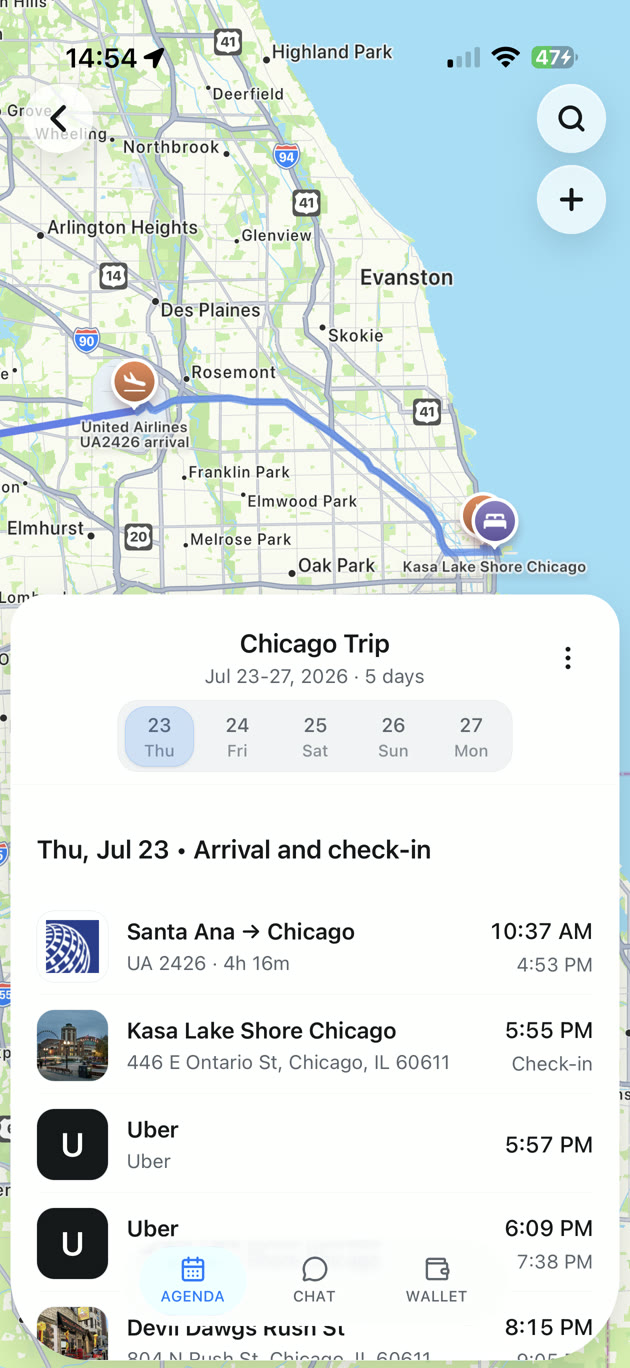
TripNoted Free gives you one agenda for your flight, stay, and plans. Add a manual Car plan to keep the rental details with the journey that leads to it. If you connect Gmail, TripNoted can also organize recognized travel bookings from recent emails. Gmail is optional.
- Open or create your trip. Add the car plan from the details you have confirmed.
- Record both ends of the rental. Check the pickup and return dates, local times, locations, and booking reference. Keep the branch phone number and arrival or return instructions in your notes.
- Review the whole travel day. Check the flight arrival before pickup, and the onward journey after return. Change the itinerary after the provider confirms a booking change.
Manual plans, trip sharing with view or edit access, and offline access to saved trip details on iPhone are included in Free. Before you leave, prepare your itinerary for offline use and keep the rental confirmation available too. Make or change the rental reservation with its provider.

At the counter and before you drive away
Compare the rental agreement with your confirmation: driver, pickup and return details, vehicle category, and any extras you selected. Ask staff to explain anything that differs before you accept the agreement.
Walk around the car and check the interior and accessories. Ask staff to record any existing damage that is missing from the agreement. Check the starting fuel or battery level and any mileage allowance. Before you move, find the lights, indicators, parking brake, and hazard lights, and ask about the correct fuel or charging instructions. These checks follow the main tasks in Europcar’s vehicle pickup checklist; use your rental company’s own handover process.
Make the return easy to find
Save the return directions before the last day. Follow the rental-return signs and the instructions for your actual branch. Keep time for any agreed refuelling or charging task, the handover, and the trip back to the terminal.
If you plan to leave the car outside staffed hours, confirm the parking area, key return, and how the company will confirm check-in. Do not assume an open car park or a key box means the rental has closed. Enterprise’s U.S. return guidance, for example, distinguishes airport and non-airport locations and says an after-hours return may be checked in on the next business day. Get the exact steps from your branch.
Keep the return record and final receipt when available. If you cannot find the confirmation before travel, search the rental company or booking provider’s name and your travel dates. Our travel-email organization guide helps keep the original booking and later changes together.
Use the right source for each detail
| Source | Use it for | Next step |
|---|---|---|
| Booking confirmation | Your branch, dates, times, driver, category, and reservation reference. | Check the latest version, including confirmed changes. |
| Exact branch and provider terms | Directions, hours, documents, payment requirements, late pickup, and return steps. | Contact the branch if a detail is unclear or your arrival changes. |
| TripNoted Free | Keep the rental plan beside your flight, hotel, and other trip plans. | Add or review the confirmed details. Use the provider to change the booking. |
| Rental agreement and receipt | The vehicle handover and the completed rental record. | Check the agreement at pickup and keep the final receipt. |
Common questions
Should car pickup time match my flight arrival?
Allow time between them. Your plane’s arrival time is not the time you reach the rental counter. Check the terminal route, bags, any border formalities, and the branch’s opening hours.
Can I return the car to another branch?
Use the return location confirmed in your reservation. Ask the provider before changing it. Editing a place in your trip plan does not change the rental agreement.
Will a rental company wait if my flight is delayed?
Check with your branch. Policies can depend on the location, booking type, and whether flight details are on the reservation. Contact the provider when your arrival changes rather than assuming another company’s policy applies.