The travel planning guide
Wanderlog vs TripIt: Which Travel Planner Should You Choose?
Wanderlog is the better fit when you want to build your vacation around a map: save places, arrange each day, and plan with friends. TripIt is the better fit when your trip starts with bookings and you want the confirmations organized into one itinerary. Its paid Pro plan adds tools for frequent flyers.
Think about the next thing you need to do. Are you deciding which neighborhood to explore after lunch, or trying to find your hotel confirmation? That difference matters more than which app has the longest feature list.
Here is how Wanderlog and TripIt compare, where their free plans differ, and when TripNoted Free is worth a look.
Start with your next task
Wanderlog vs TripIt at a glance
On a phone, scroll the table sideways to compare the apps.
| What matters to you | Wanderlog | TripIt |
|---|---|---|
| Main strength | Planning places, days, and routes | Organizing reservations into an itinerary |
| Getting bookings into a trip | Forward reservation emails; automatic Gmail scanning is a Pro feature | Forward confirmations or connect a supported inbox with Free Inbox Sync |
| Planning around a map | Places and daily plans together; useful for sightseeing and road trips | Mobile map view for itinerary plans with valid addresses |
| Planning with friends | Shared trip planning and group budgeting | Shared itineraries with view or edit permission |
| Shared expenses | Track costs and split expenses | Record trip costs; not a group expense-splitting tool |
| Offline itinerary access | Pro feature | Included in the free app |
| Flight tools | Organize flight reservations alongside the rest of the plan | Pro adds flight alerts, alternate-flight help, and other airport tools |
| Devices | Web, iPhone, and Android | Web, iPhone, and Android |
The main choice is between a map-led planning workspace and a reservation organizer. Both can hold trip plans and let other people help. Their strongest features support different parts of a trip.
Places + routes
Wanderlog gives you more room to plan the days
A reservation tells you where you will sleep. It does not tell you what to do between breakfast and dinner.
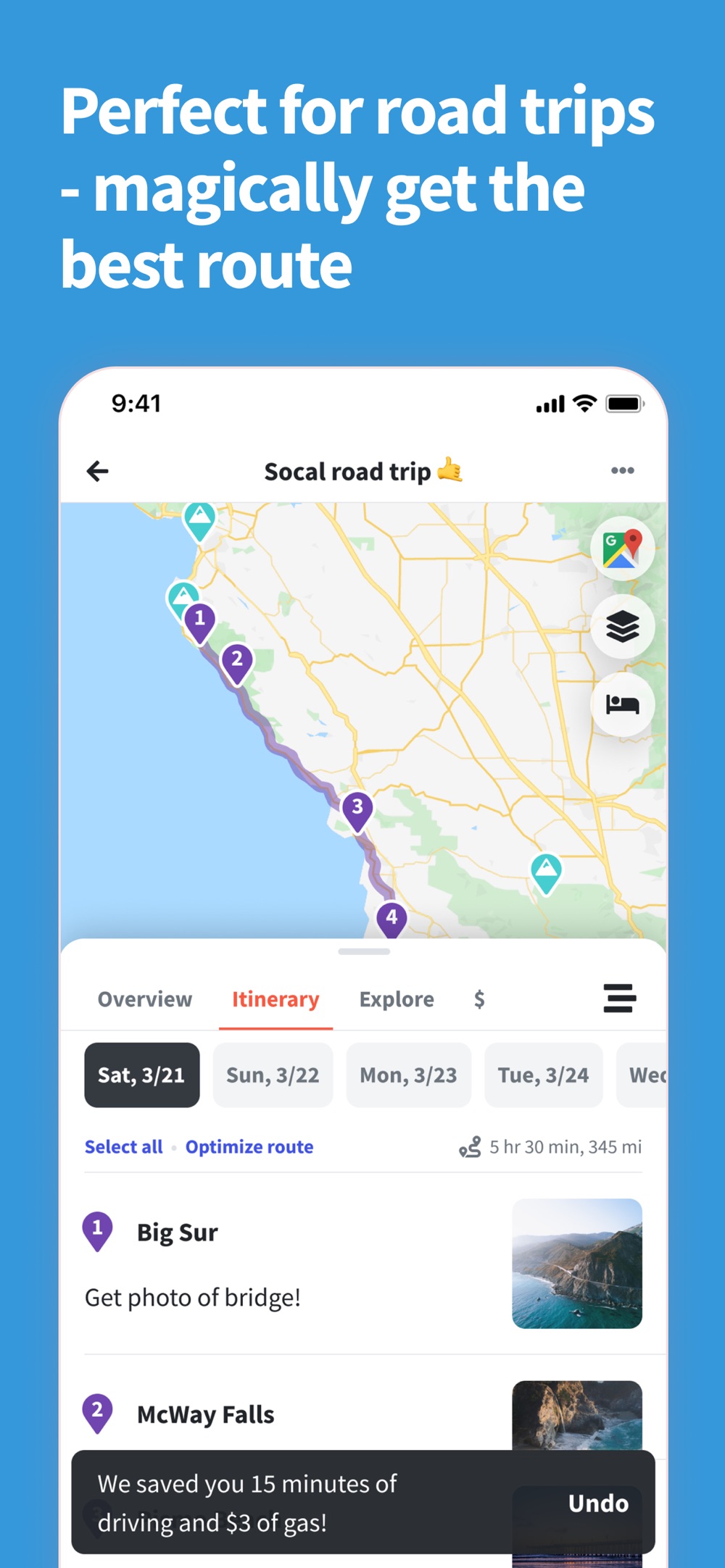
That is where Wanderlog makes sense. You can collect restaurants, attractions, and other stops, see them on a map, and arrange them into days. For a road trip, having the places and itinerary together helps you see whether a stop belongs on today's drive or tomorrow's.
Imagine a long weekend in Lisbon. You have a hotel and flights, but your list of places is still growing. One friend wants a museum, another has saved a bakery, and everyone wants time by the water. Wanderlog gives that planning conversation a place to happen. You can look at the geography instead of passing a list around and hoping the route works.
Wanderlog also offers route optimization. That is a useful distinction if you want help ordering a set of stops. Adding places to a map and optimizing their order are different tasks; decide which one you need before choosing a plan.
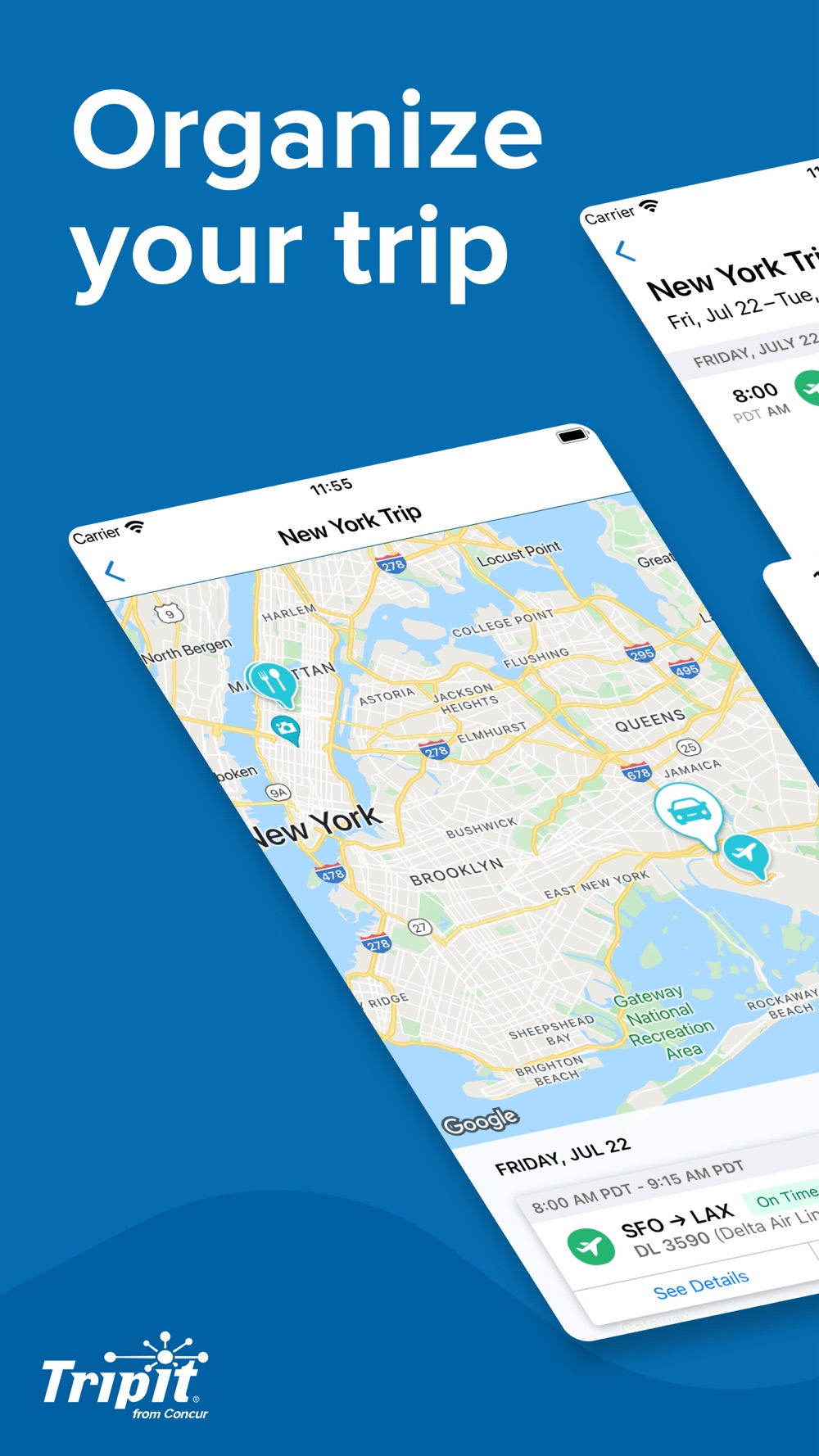
TripIt has a map view too. In its mobile apps, plans with valid addresses can appear on the trip map. That is useful for finding the hotel or seeing where a reservation takes you. Wanderlog is the more natural choice when discovering places and arranging the day is the main job.
Reservations + inbox
TripIt makes booking emails the starting point
TripIt suits the moment when the trip is already taking shape in your inbox: a flight confirmation, a hotel booking, a rental car, and a restaurant reservation.
You can forward confirmations, add plans yourself, or use Inbox Sync with a supported email provider. Inbox Sync is available on the free plan. This makes TripIt useful when you want the reservations collected before you spend time planning anything else.
There is a practical detail if you are setting it up for an existing trip: TripIt's first Inbox Sync scan looks at messages received during the previous seven days, regardless of the travel date. Older confirmations can be forwarded yourself. If you booked a hotel months ago, check that it is in the itinerary before you leave.
Wanderlog can import forwarded reservation emails as well. You do not have to type every booking into it. However, its automatic Gmail scanning belongs to Pro, so forwarding an email and connecting an inbox are not the same free-plan feature.
Choose TripIt here if your priority is getting booked travel into a clear itinerary with less manual collection. Choose Wanderlog if the bookings are only the starting point for a much more detailed sightseeing plan.
Plans away from a signal
TripIt includes offline itineraries without an upgrade
Offline access can become the deciding feature after you leave home. Airport Wi-Fi drops, mobile service disappears on a train, and roaming is not always worth switching on just to check an address.
TripIt's free app can show saved itineraries offline. Live alerts and new updates still need a connection, but your existing plan does not become useless when the signal goes away.
Wanderlog puts offline trip-plan access in Pro. If you like its map-led planning, consider whether you will need your plan without internet before deciding that Free covers the trip.
This is also a good reason to look at TripNoted Free. You can keep saved trip details on your iPhone and make supported itinerary edits offline. Shared editing is included too. When you reconnect, supported offline changes can sync; live searches and the web version need internet.
Want bookings and saved places together, with free offline iPhone access? Start with TripNoted Free.
Flight alerts + airport tools
TripIt Pro is the more relevant upgrade for frequent flyers
TripIt Pro costs $49 a year and focuses on the parts of flying that can change: flight status, seats, fares, connections, and getting through the airport.
It adds flight alerts, alternate-flight help, seat and fare trackers, reminders, and airport navigation with walking directions. If your travel involves frequent flights or tight connections, those are more relevant benefits than another place to store a list of attractions.
Wanderlog Pro addresses a different set of needs, including offline trip plans and automatic Gmail scanning. Check the price offered in your account or app store before subscribing; the purchase options can vary.
Pay for the problem you want to solve. If you want a richer sightseeing plan, look closely at Wanderlog. If you want flight and airport help, look closely at TripIt Pro. If you mainly need organized bookings and an itinerary you can share, start with a free option.
Our TripIt Free vs Pro guide explains which extras are worth considering.
Pick what fits your trip
Which should you choose?
Choose Wanderlog if you enjoy building a trip around places on a map, want a detailed day-by-day plan, or need shared expense tracking. It is particularly useful when planning the vacation is a group activity.
Choose TripIt if your main problem is scattered booking confirmations. Its free itinerary tools cover a lot, and Pro gives frequent flyers a clear upgrade path.
Both also have Android apps. If native Android support is essential for your group, include that in the decision.
Bookings + saved places
Want your bookings and saved places in the same trip? Try TripNoted Free
A trip often starts in more than one place. The flight is in your inbox. A restaurant is in a video a friend sent. The hotel is booked, but the afternoon plans are still a collection of links.
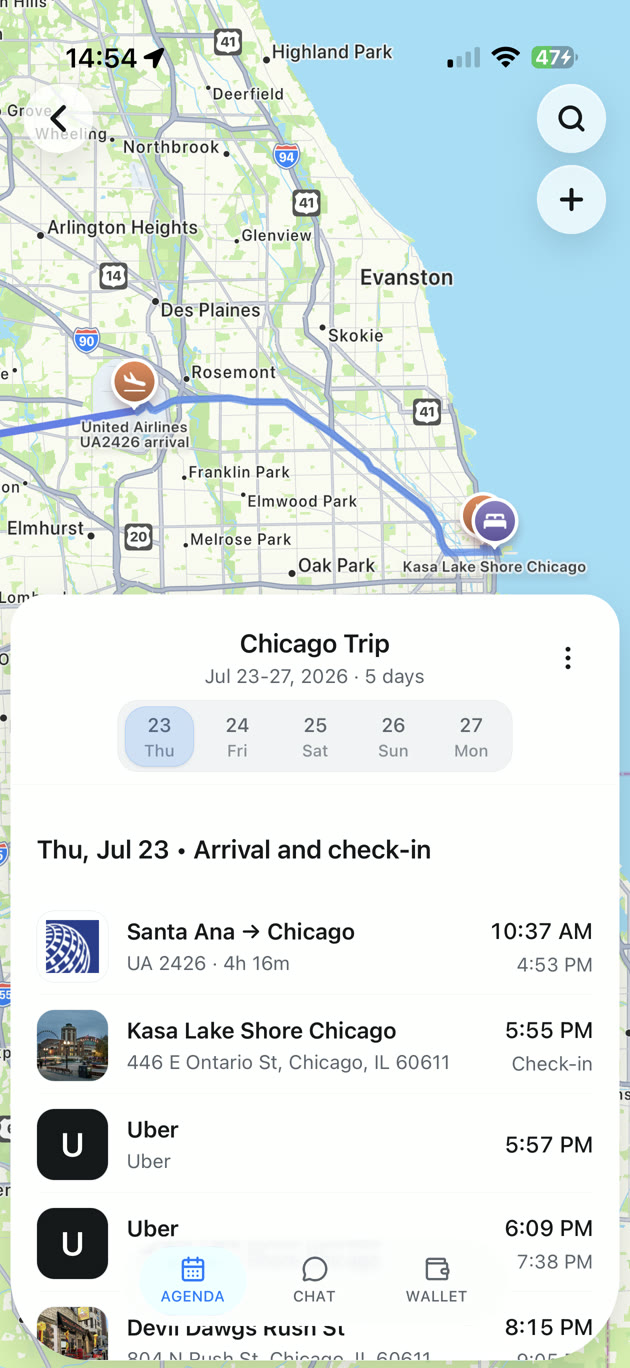
TripNoted brings those pieces together. Connect Gmail to organize recognized travel bookings, save supported travel links as Ideas, and add the places you choose to your trip. You can also create trips and plans yourself without connecting Gmail.
For that Lisbon weekend, your hotel and flight can form the starting plan. Keep the bakery and museum as Ideas until you choose a day, then invite your friends to help edit the trip. You get a place for both the reservations and the parts you are looking forward to.
TripNoted Free includes:
- One connected Gmail account, with an initial six-month import and scheduled refresh about once an hour.
- Saved travel links and Ideas, plus manual trip planning.
- Invitations with view or edit permission.
- Saved trip details and supported offline edits on iPhone.
- Five Trip Assistant questions per trip.
- Access on iPhone and the web; the web version needs internet.
If shared expense splitting is essential, choose a tool built for it. If live flight alerts are your priority, TripIt Pro is the more direct fit. TripNoted is for keeping what you book, what you save, and what your friends add in one organized trip.
Common questions
Common questions
Is Wanderlog or TripIt better for a road trip?
Wanderlog is the better fit for building a road trip around stops, daily plans, and a map. TripIt can keep the booked parts organized, such as hotels and rental cars.
Can you share trips without paying?
Yes. Both apps support sharing on their free plans. TripIt offers view or edit access; Wanderlog also includes shared planning and group budgeting. TripNoted Free includes view and edit invitations too.
Does TripIt have a map?
Yes. TripIt's mobile apps have a map view for plans with valid addresses. That does not make it the same kind of place-discovery and route-planning workspace as Wanderlog.
Do both apps work offline?
TripIt's free app can display saved itineraries offline. Wanderlog offers offline trip plans through Pro. Download or open the trip while connected before you depend on it away from a signal.
Is TripNoted available on Android?
TripNoted has an iPhone app and a web version. It does not currently have a native Android app. Wanderlog and TripIt both do.